
Software & technology
Affordable website development in Australia: spend on what matters
A workable website budget starts with the job your site needs to do. For a Brisbane consultant, that might be enquiries. For a retailer, it could be a small product catalogue and checkout. Those projects need different scopes, even if both businesses ask for an “affordable website”.
The takeaway
- choose one launch goal, compare the full first-year cost and pay for the essentials that help customers take the next step.
1. Make the first version smaller
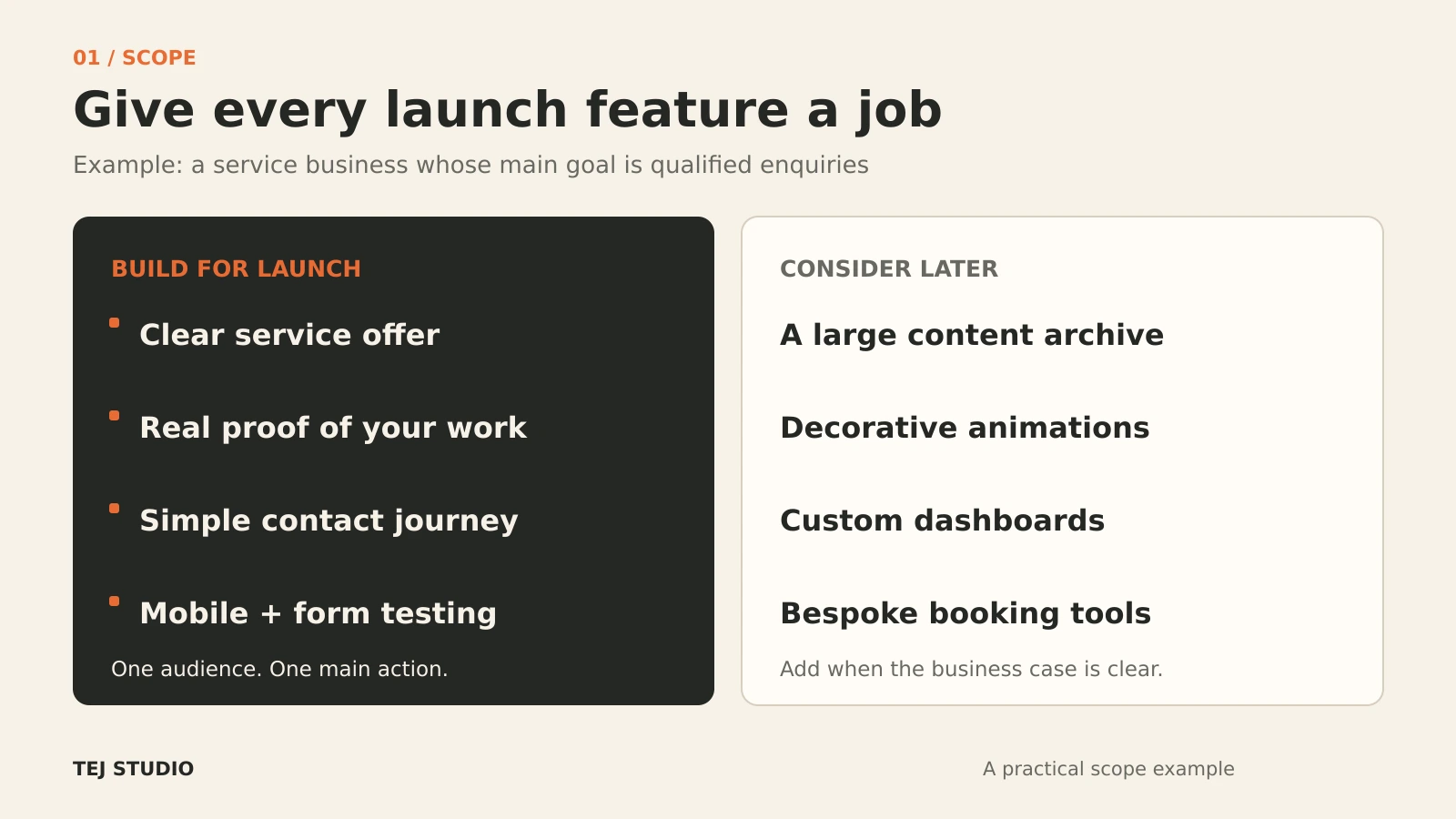
For affordable website development in Australia, a useful starting brief is one audience, one main action and a short list of must-have pages. Business.gov.au’s website guide also starts with defining your goals before choosing a platform.
A service business could begin with Home, Services, About and Contact, plus relevant policy information. Prepare your copy, real project photos and contact details before development starts. Agree who supplies each item so missing content does not become an extra production job.
Put optional animation, a large blog archive and custom dashboards into a later phase unless they serve the launch goal. A ready-made booking link may be enough before you commission a bespoke booking system.
2. Match the build to the work
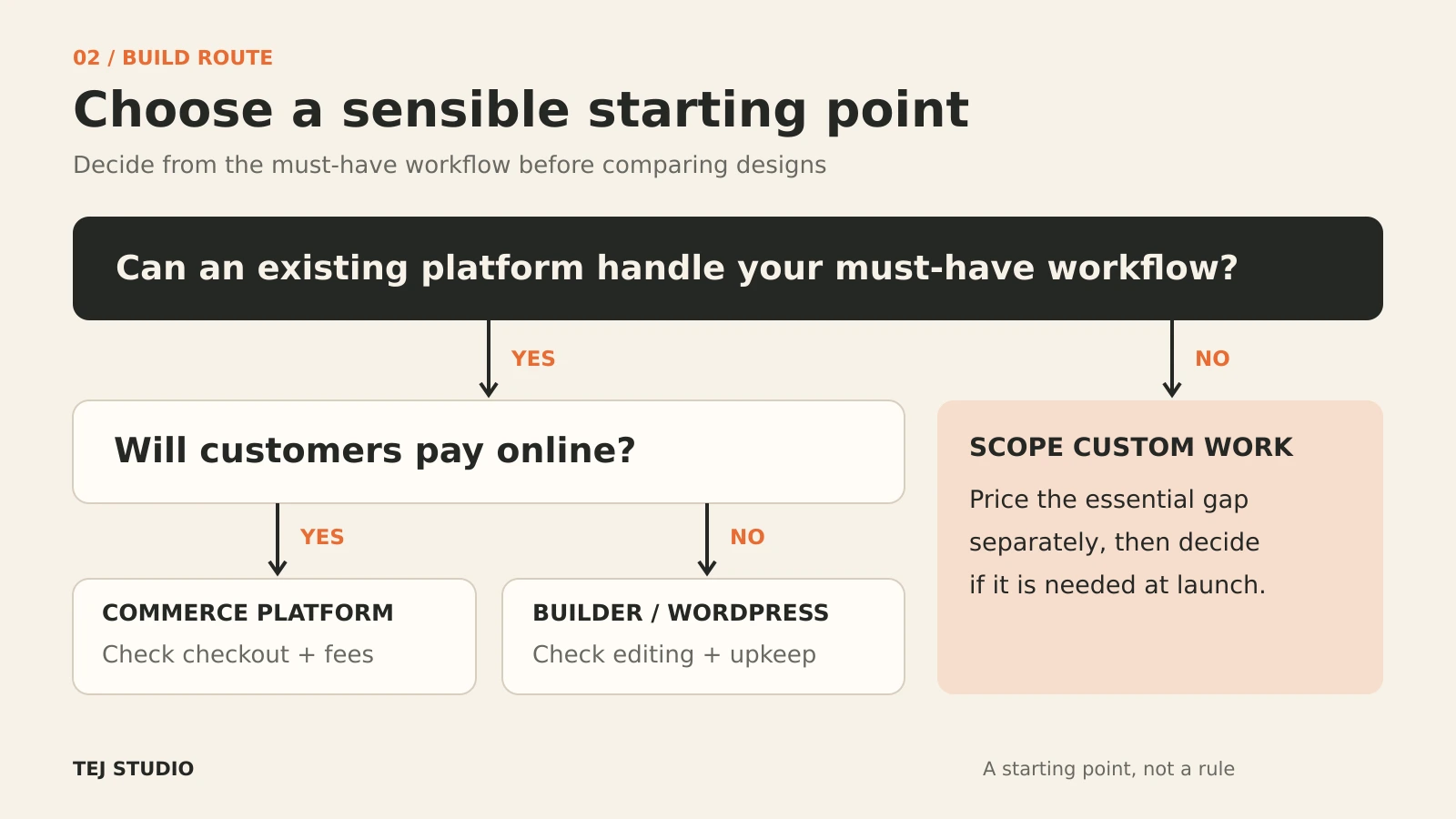
Template-based website: a sensible option for a clear service offer, portfolio or small brochure site. Check the editing experience, form limits and features included in the plan.
Self-hosted WordPress: worth considering when publishing flexibility matters and someone will own maintenance. WordPress’s hosting requirements include HTTPS and supported server software. Confirm who handles updates, backups and recovery.
Online store: compare product, shipping and payment needs before picking a platform. Shopify’s Australian plan information shows hosting is included, while payment and third-party transaction fees vary. Include relevant apps and fees in your comparison.
Commission custom development when a specific workflow cannot be handled acceptably by existing tools. Ask for that requirement to be priced separately so you can decide whether it belongs in the first release.
3. Compare twelve months, not just launch day
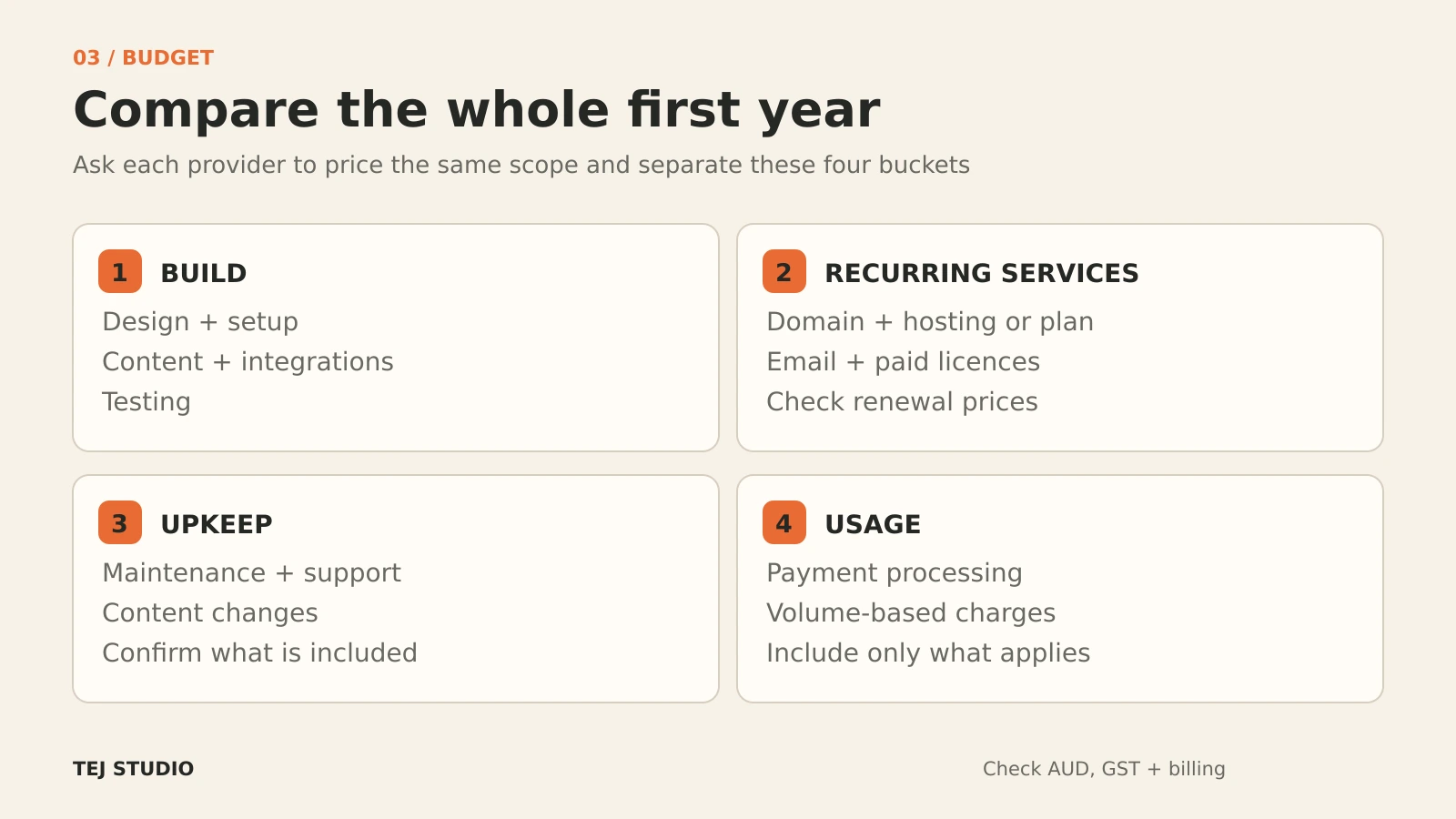
Ask each provider to quote the same scope and separate:
- Build: design, page setup, content entry, integrations and testing
- Recurring services: domain, hosting or platform subscription, email and paid licences
- Upkeep: maintenance, support and content changes
- Usage: payment processing or other volume-based charges, where relevant
Check currency, GST treatment, billing frequency and renewal pricing. An introductory offer can make the first invoice look smaller than the ongoing commitment. Avoid counting hosting twice when a platform plan already includes it.
There is no useful universal price without a brief. Compare written inclusions, exclusions, revision limits and change-request rates alongside the total. Also allow for your own time preparing content and learning the editor.
4. Protect the basics
Keep mobile usability, readable text, accessible forms and a tested enquiry or checkout journey in the launch scope. Ask what happens when a form fails, a plugin breaks or someone needs to restore the site.
Keep domain and platform accounts under your business’s control, with clear handover arrangements. For a .com.au domain, check auDA’s eligibility and registration guidance, and make sure the registrant details identify the correct business.
A brief you can use
“We need a mobile-friendly site for [audience] to [main action]. Launch requires [pages and features]. We will supply [content]. Please separate setup, recurring costs, maintenance, revisions and handover, and list exclusions.”
Sources & further reading
- Business.gov.au: Set up a business website Checked 3 October 2026
- WordPress.org: Requirements Checked 3 October 2026
- Shopify Australia: Pricing Checked 3 October 2026
- auDA: com.au domain names Checked 3 October 2026
Put the thinking to work.
Looking to build your website affordably? Talk to Tej Studio about your goals, must-have features and budget. Start with a clear first phase, then decide what earns a place in the next one.
Start a conversation