
Learning & LMS
LMS migration checklist for preserving learner records
Before approving an LMS migration, make learner records part of the acceptance criteria. Your team should be able to establish who completed each course, when they completed it and what happens to learning already in progress. For Australian training providers and workplace learning teams, a sample migration is a useful way to test those requirements before committing to the full move.
Check what the export contains
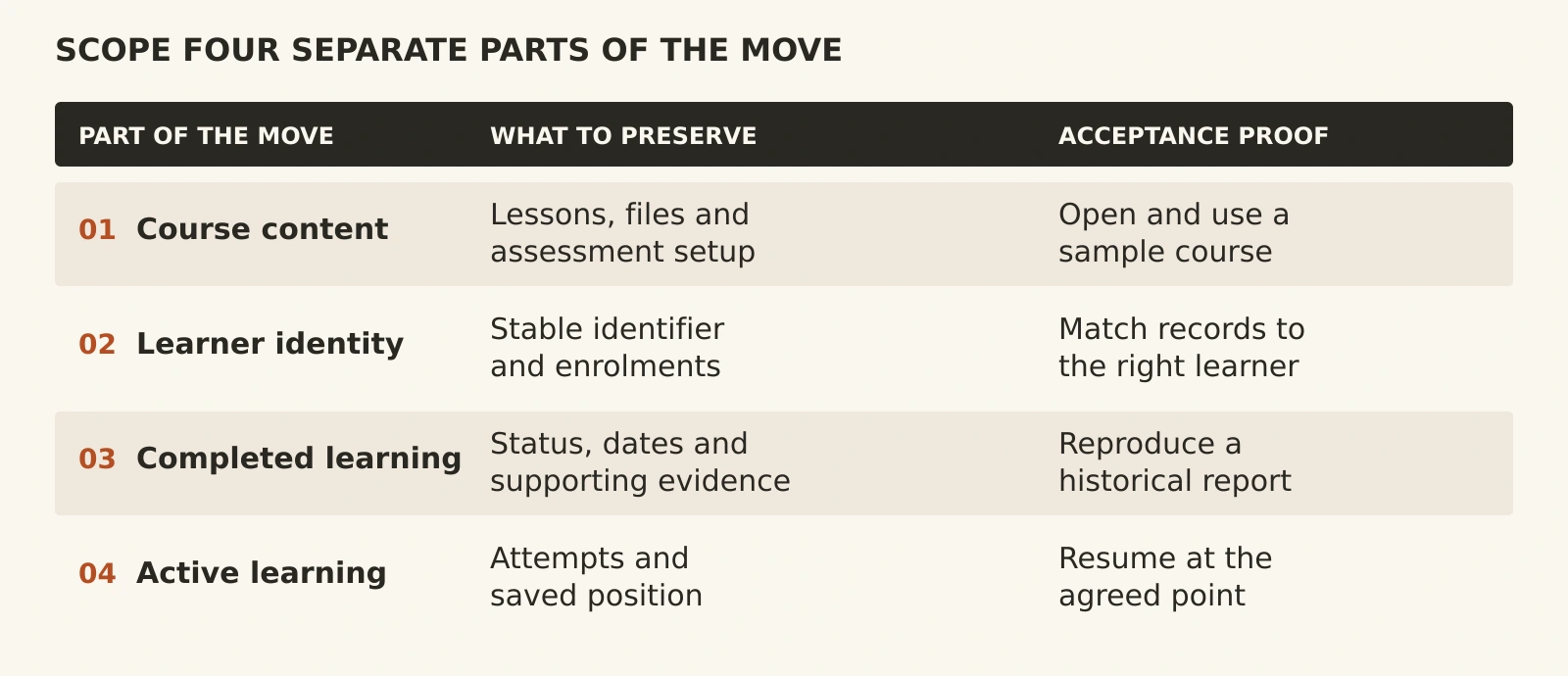
Course files, learner accounts and learning history need separate checks. A working lesson proves that content transferred; it does not establish that the learner's results or progress came with it.
For example, Canvas course exports exclude student interactions and grades, with grades available through a separate CSV export. Moodle course backups can include user completion details, logs and grade history when permissions and selected settings allow. Neither example proves what a different destination can import.
Ask the supplier to list the source fields, destination fields and exclusions. Include learner identifiers, enrolments, completion status, completion dates, assessment attempts and certificates where relevant. Name any plugins or external services that hold additional records.
Choose where history will live
Decide which records must work inside the new LMS and which can remain in a searchable, read-only archive. Active learners may need their progress available in the new platform. Older records might be served by an archive if your reporting and retention requirements allow it.
For each archived record type, agree who can retrieve it, how it links to the learner and who maintains access. Have the person responsible for your organisation's records approve the approach before the old service ends.
Test a representative learner journey
Request a pilot with completed, in-progress and not-yet-started enrolments. Include a repeat attempt, a changed email address and a course using any essential learning package or plugin. Use synthetic or appropriately de-identified records first; agree secure handling before sharing real learner data.
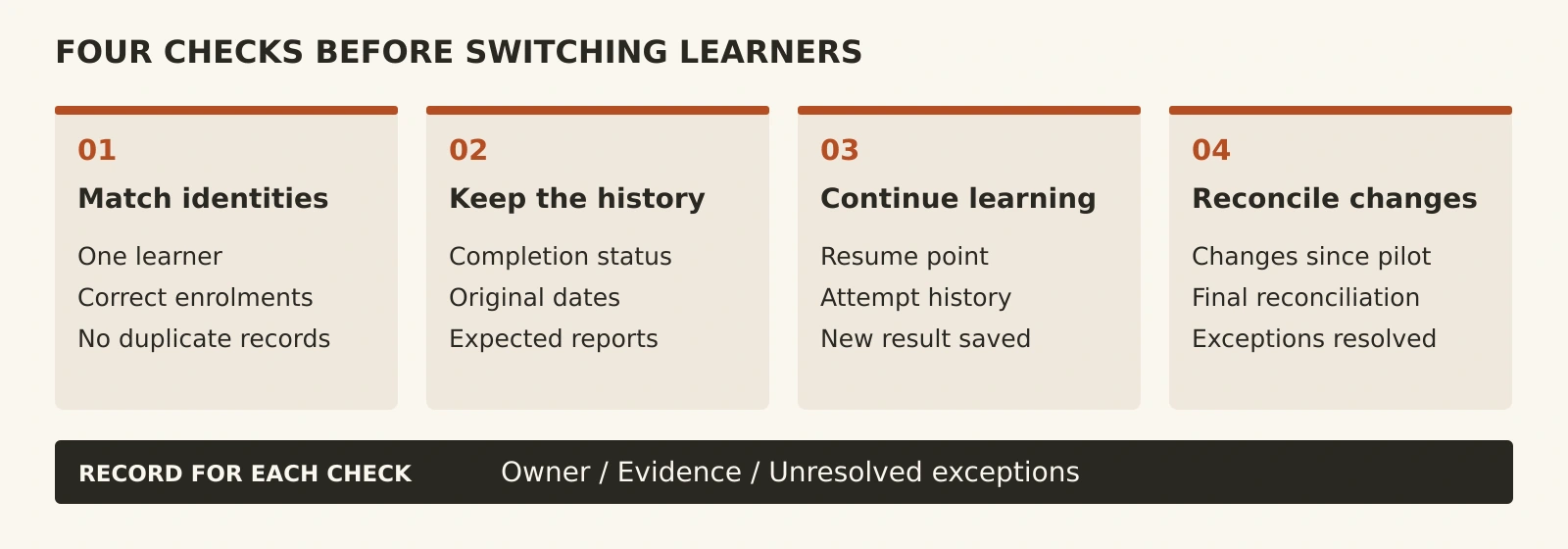
Match records with an agreed stable identifier rather than relying only on names or email addresses. Compare completion dates and results, then run the reports your administrators actually use. In Moodle, completion depends on configured criteria, so ask how those rules map to the destination.
Test resuming a partially completed course and issuing a new result. If progress cannot be transferred faithfully, agree a finish-in-place or restart plan with the training owner. Document the learner impact before accepting that limitation.
Plan the final changeover
Choose when the old system stops accepting changes and how later completions will be captured. Specify the changeover time and time zone, especially when Australian learners, support teams or suppliers operate in different states or countries.
Before switching, reconcile record counts and investigate mismatches. Check individual records as well as totals: matching totals can still hide records assigned to the wrong learner. Agree who signs off, what triggers a rollback and how learning completed after the switch would be recovered. Keep the old records accessible until the agreed checks pass.
Compare the whole migration scope
Ask for an AUD quote with GST treatment stated. Separate extraction, data clean-up, field mapping, pilot testing, final transfer and administrator training. Include any overlap between subscriptions, archive access and support after launch.
Put the acceptance tests and exclusions into your project brief. A quote covering only course uploads leaves important work undefined. Tej Studio's software project brief guide can help you record responsibilities and evidence for sign-off.
Put the thinking to work.
Planning a move? Explore Tej Studio's LMS services or contact us with your current platform, required records and timing. Leave learner files out of the initial enquiry; start with the scope.
Explore learning management platforms Start a conversation