
Learning & LMS
LMS SCORM compatibility checks before you buy
Before choosing an LMS for workplace training, ask the supplier to run your actual SCORM courses through an acceptance test. A useful test shows that people can launch, leave, resume and finish a course, and that the platform records the result your training team expects. For Australian organisations buying a platform for induction, safety training or professional development, LMS SCORM compatibility belongs in the buying brief. The same checks apply when an overseas content supplier or implementation team is involved. Agree what must work before approving the configuration or committing to a subscription.
Start with the courses you already own
Build a small inventory of the packages you need to keep using. Record the course title, file size, authoring tool if known, SCORM version and publishing settings. Confirm whether you have the editable source files and permission to republish the content.
Choose a representative test set: a simple module, a scored assessment, a longer course that saves progress and any package with several linked learning objects. Include a course that has caused trouble before.
Use a permitted copy and test learner accounts. Have the supplier upload the actual ZIP packages into the proposed environment. A demonstration using the supplier’s sample course leaves your own content untested.
Pin down the version and player
Ask which versions the proposed LMS supports, including the edition when the answer is SCORM 2004. Record the platform release, player or plugin, and any external service needed to run the content.
This detail can change the scope. Moodle’s native SCORM activity supports SCORM 1.2; SCORM 2004 is not natively supported, even though some packages may appear to work. An additional player needs its own testing and support arrangements.
Keep other standards clear in the discussion. xAPI exchanges records of learning experiences, while LTI connects an LMS to external learning tools. Support for either does not establish that an existing SCORM ZIP will run correctly.
If the proposed solution requires republishing, ask who can do it, which source files are required and who retests the output. Include that work in the quote.
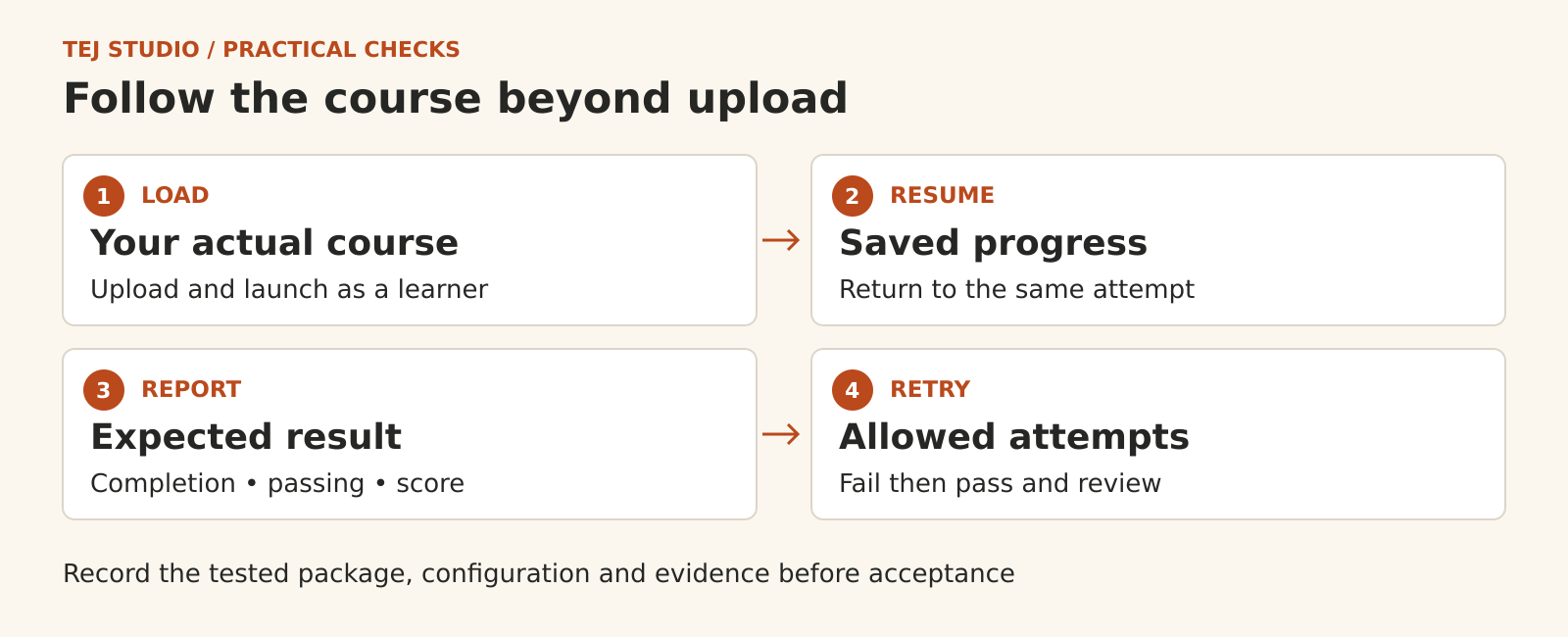
Test launch and resume as a learner
Run the test through the normal learner account and enrolment route. Use the browsers and devices your workforce will actually use, including a managed work computer or phone where relevant.
Check that navigation, media, questions and the exit control work. Then leave halfway through, sign out, sign back in and reopen the course. Confirm that the expected location and answers return within the same attempt.
Repeat the check late in a longer module. Saved resume data can have limits, so a successful return from the second screen gives limited evidence about a lengthy course.
If mobile or interrupted connections matter to your learners, include those situations explicitly. Record any lost progress, error message or recovery step rather than accepting a general promise of mobile support.
Check completion passing and score separately
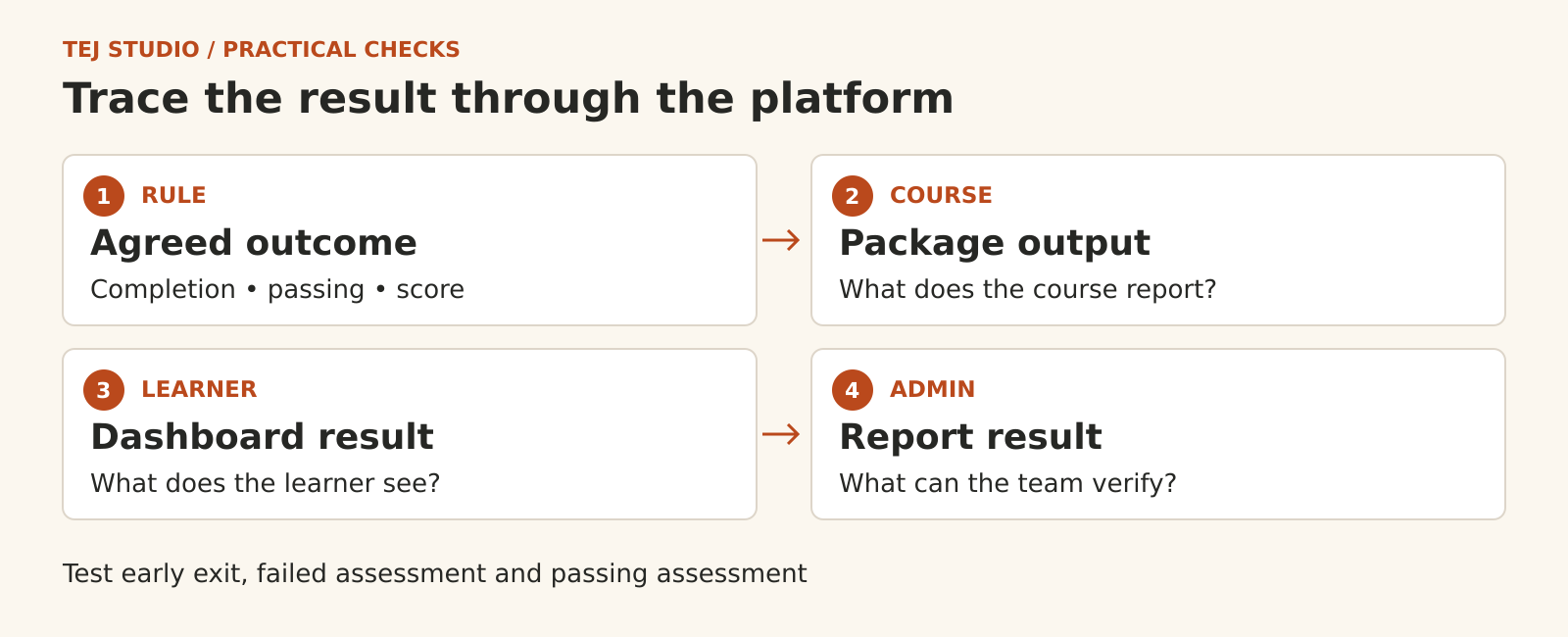
Before testing, write down what each course is supposed to report. Does completion require viewing material, reaching a particular screen or submitting an assessment? What makes the learner pass?
Run a passing attempt, a failing attempt and an early exit. After leaving the course, compare its result with the learner dashboard and the administrator report. Check the score and its scale as well as the status.
SCORM 1.2 uses one lesson-status field; SCORM 2004 separates completion and success. The authoring settings and the LMS interpretation still matter. Ask the supplier to explain any mismatch using the course’s reported values and the platform settings.
For required workplace training, agree exactly which result permits a certificate or unlocks the next activity. Finishing the screens should satisfy that rule only when your training owner intended it to.
Make retries and review predictable
Agree how many attempts are allowed and what starts a new one. A learner returning to unfinished work should get the behaviour your team specified.
Test a failed attempt followed by a pass. Check which score appears in the summary, such as the first, latest or highest, and whether individual attempts remain available. Also reopen a passed course to review it and confirm what happens to the recorded result.
Quiz retries inside a course and new attempts created by the LMS may be controlled in different places. Have the supplier demonstrate both, including what learners see when their allowed attempts run out.
Put the evidence into acceptance
Keep a short test record for each package: file version, LMS configuration, learner action, expected result, actual result and unresolved issue. Save screenshots or logs where they explain a failure. Name the person responsible for correcting and retesting it.
Ask for the agreed settings and known limitations in writing, along with any additional player, hosting, republishing and support costs in AUD with GST treatment stated. Repeat the relevant checks when a package or player changes.
If you are also moving platforms, use the LMS migration checklist to plan how existing learner records will be preserved.
Tej Studio’s LMS planning page is a starting point for scoping these requirements. Bring a course inventory and the outcomes you need; leave learner records out of the initial enquiry.
Put the thinking to work.
Discuss what these questions mean for your product or business.
Start a conversation