
Software & technology
PWA vs mobile app for Australian businesses
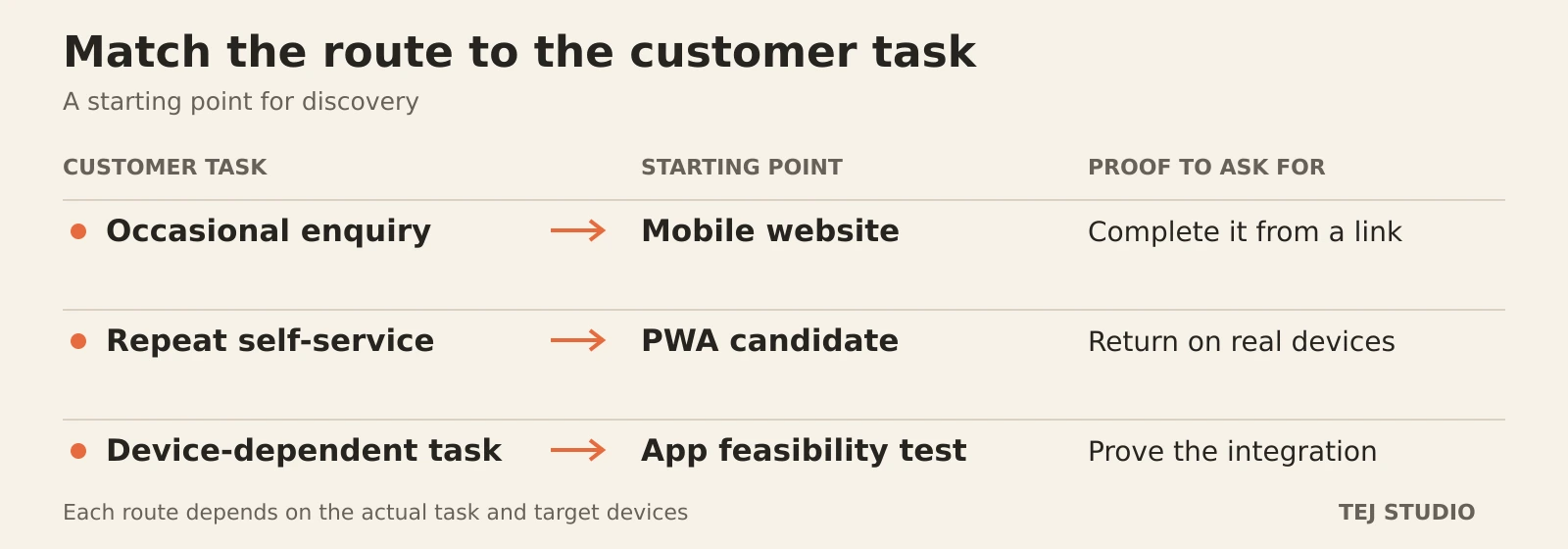
For an Australian business planning its first customer app, a progressive web app (PWA) is worth testing when customers need convenient, repeat access to a service through the web. An iOS or Android app deserves closer investigation when a specific device capability or mobile experience is essential. Start with the task customers will return to, then test the requirement that could rule an option out.
Start with the return task
Imagine a Brisbane equipment-hire business whose customers need to extend a booking and check collection details. A link in the confirmation email can take them straight to that task. Before asking them to install anything, test whether the mobile website already does it well.
A PWA is a web application that can offer an installed, app-like experience. It can still be reached through a URL; available installation and device features depend on the browser and platform.
Our recommendation is to consider a PWA when repeat self-service is useful and the required features work on customers’ devices. If the product depends on a particular device integration, commission a small technical test before choosing native development or a cross-platform mobile framework.
Check the notification assumption
Push notifications alone do not settle the PWA versus app decision. Home Screen web apps support Web Push on iOS and iPadOS from version 16.4. The permission request must follow a direct user action, and the user must allow it.
That adds steps to the customer journey. Test adding the app to the Home Screen, enabling notifications and reopening the relevant booking. Also show collection details inside the service so customers who decline notifications can still find them.
Define what offline means
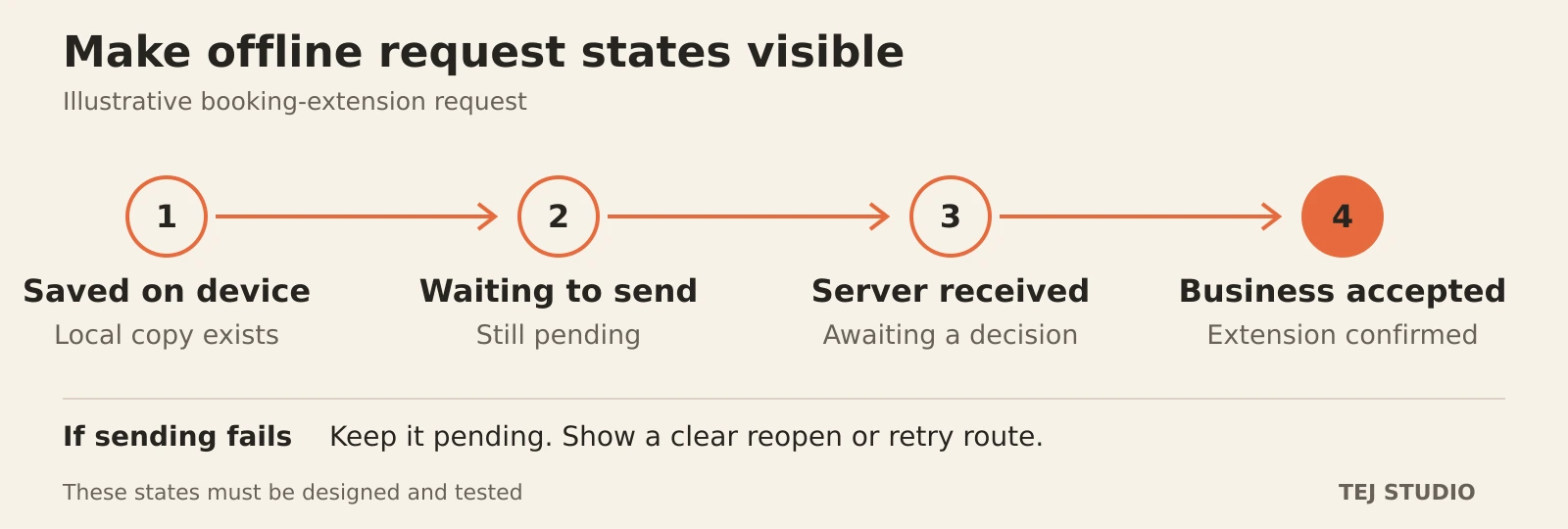
For a regional customer with intermittent reception, viewing saved collection instructions and submitting a booking extension are different requirements. Specify what can be read, what can be saved locally and what needs the server’s confirmation.
Service workers can support cached offline content, but that behaviour has to be designed. Background sync has limited availability across browsers; do not assume it will work on every customer device.
For the hire example, a locally queued extension should remain visibly pending until the business accepts it. Test reconnection, duplicate submissions and a request that fails. If the customer must reopen the app to retry on a supported device, make that instruction clear.
Compare the ongoing responsibilities
Ask each proposal to cover accounts, integrations, accessibility testing, security updates and support after launch. For a PWA, include browser testing, cached-data handling and updates to the installed experience. For an iOS or Android app, include the relevant release, store-review and operating-system maintenance work.
A store listing also needs a substantive product. App Store minimum-functionality requirements expect more than a repackaged website. Treat store acceptance as a review process, not an outcome a supplier can guarantee.
Buy evidence before the full build
A useful first scope is one complete customer task on representative iPhone and Android devices. Include entry from a link, sign-in, the essential device feature, connection loss and recovery. Agree what a successful test must demonstrate before expanding the screen list.
Put the thinking to work.
Use our software project brief guide to record those requirements. If a mobile app is the stronger fit, explore our mobile app development approach. To compare the options for your business, bring Tej Studio one customer task and the systems it needs to connect.
Explore web application development Explore mobile app development Start a conversation