
AI & automation
AI invoice extraction checks before data enters your system
Before approving AI invoice extraction, ask the supplier to show how each important field is checked against its source before it enters your accounting or business system. Test missing values, unclear documents and the review screen alongside clean invoices. Agree what can pass, what needs checking and what must stay on hold. For an Australian business reducing document entry, the useful buying question is whether staff can trust the proposed record enough to use it. Start with one document type and one destination, then make the acceptance checks part of the scope.
Define what a correct record looks like
List the fields your team actually needs. For supplier invoices, these might include the supplier, invoice number, invoice date, currency, GST amount, total and purchase order reference.
For each field, agree its meaning, expected format, whether it is required and what happens when it is unavailable. An invoice number and a purchase order number can both look plausible while referring to different things.
Keep the source text alongside any reformatted value. If the system converts a date for storage, the reviewer should still see the date as printed. Agree how leading zeroes in identifiers will be preserved.
Build a pilot around your actual documents
Choose documents from the suppliers and channels the business uses. Include emailed PDFs, scans and phone photographs where those formats are in scope. Add multi-page invoices, credit notes and different line-item layouts if the proposed system must handle them.
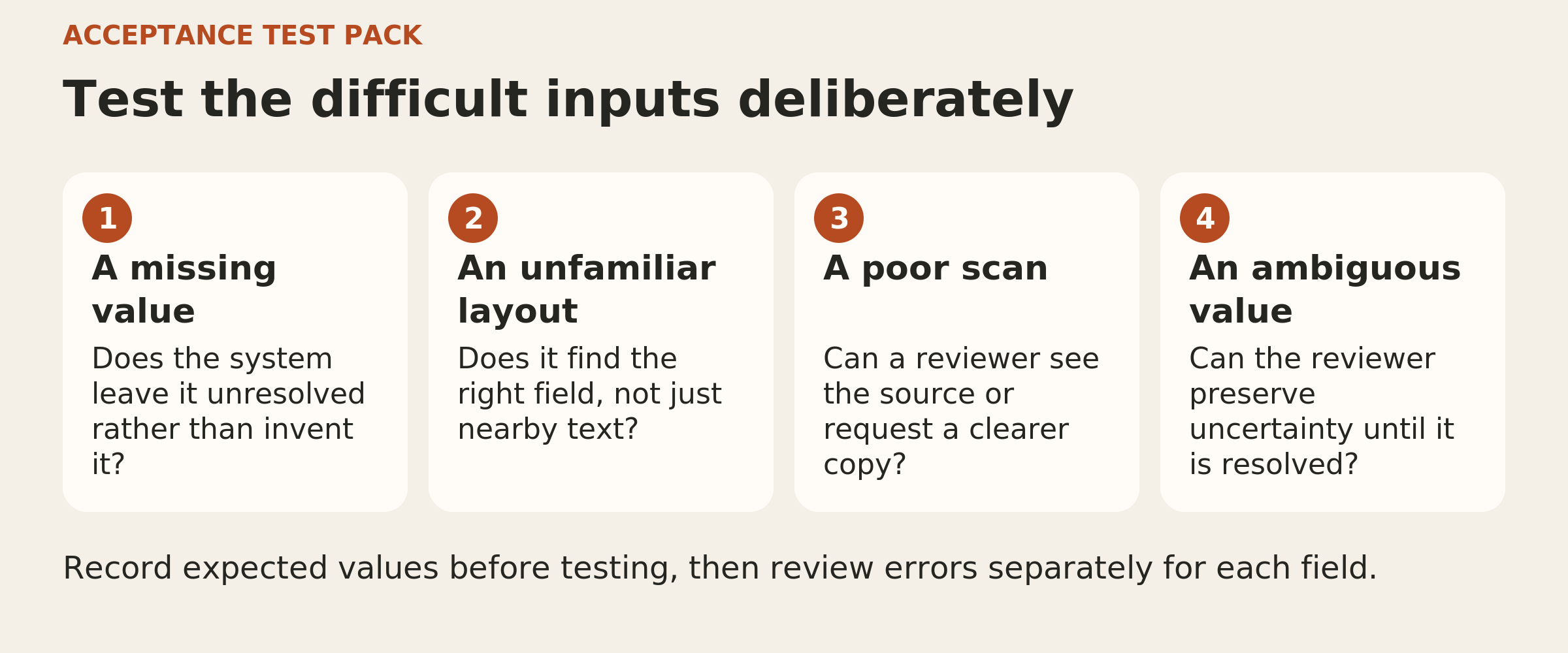
Include troublesome examples deliberately: faint text, an obscured amount, a missing reference and a table continuing onto another page. Record the expected outcome for each. A document that is too unclear to read should have an agreed hold outcome.
Have someone who understands the records check the expected answers. Keep a separate test set that was not used to tune the extraction. Ask the supplier to explain which document variations remain outside the pilot.
Make every important value traceable
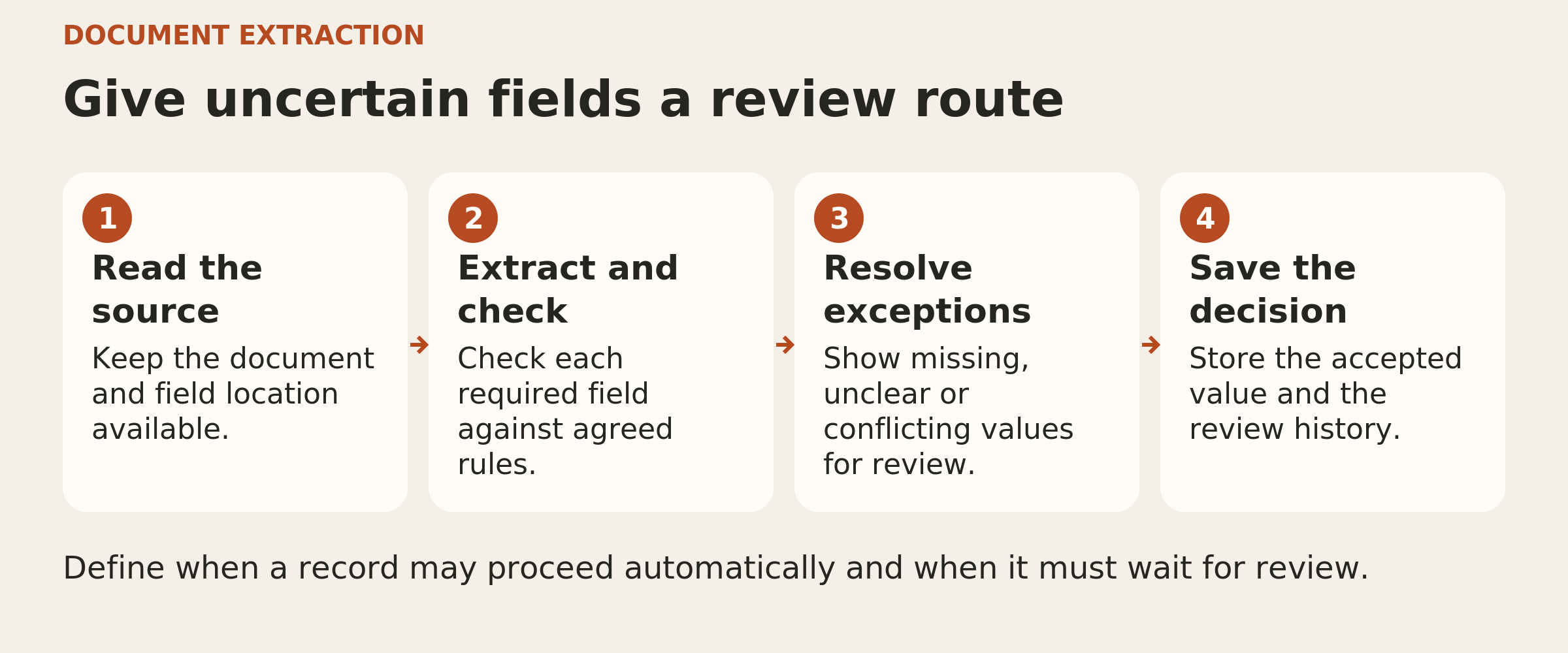
Ask for a demonstration that takes a reviewer from an extracted value to the relevant place in the original document. A page reference and highlighted source area can make that check practical, particularly on a long invoice.
Test the evidence itself. Does the highlighted amount belong to the correct row? Is the selected date the invoice date or the payment due date? Can staff inspect the whole page when a cropped snippet lacks context?
For a derived value, show the calculation and its inputs. Keep it distinguishable from text that was directly extracted. If the proposed tool cannot show adequate evidence, make that limitation part of the buying decision.
Give missing and ambiguous values a clear outcome
Ask the supplier to demonstrate separate cases for a field that is absent, unreadable or contradictory. An optional blank field may be acceptable. A required field with no dependable value should remain unresolved until someone checks it.
Do not let the system fill a gap with a plausible-looking answer. A dollar symbol alone may leave the currency unclear. A date such as 03/04/2026 needs an agreed interpretation supported by the document or known supplier format.
The review screen should explain the uncertainty. A generic warning makes it harder for staff to know what they need to resolve.
Run checks beyond the confidence score
Some extraction services return confidence estimates for fields or words. Ask what each score represents, which fields have one and how the supplier tested its usefulness on your documents. A model-generated statement that it is confident provides no measured evidence of performance on your pilot.
Add straightforward checks suited to each field. Can a date be parsed? Does a required identifier retain its complete value? Do the stated subtotal, tax, adjustments and total reconcile within an agreed rounding tolerance?
A failed check should create a visible exception. A passed arithmetic check still leaves other questions open: the amounts could come from the wrong invoice or the wrong part of the page. Use confidence, source evidence and validation together.
Put the review screen in front of staff
Ask an intended reviewer to resolve several pilot exceptions without the developer guiding every click.
They should be able to:
- See the proposed record and original document together.
- Understand which fields need attention and why.
- Correct a value or leave it unresolved.
- See which checks run again after a correction.
- Confirm exactly what will enter the destination system.
Keep the original extraction and the reviewed value, with a record of the correction. Test that an unresolved required field cannot slip through simply because another field was approved.
Measure what passed incorrectly
Review results field by field. Record wrong values, missed values and values produced where the source supplies none. Check line-item grouping as well as the text inside individual cells.
Then examine the proposed automatic acceptance rule. Which incorrect records passed without review? Which correct records were unnecessarily held? How much work did the review queue create?
Ask for counts and definitions behind any headline accuracy figure. Make sure each important field appears in the test evidence. A strong overall result can hide a weak field or a document layout that barely appeared in the pilot.
Agree the evidence before sign off
The acceptance pack should include the tested document types, field definitions, checked examples, unresolved exceptions and demonstrated review steps. Keep a repeatable test set for changes to the extraction model or configuration.
For deciding which actions an AI workflow may take, see our guide to AI workflow permissions and approvals.
Put the thinking to work.
For a first implementation, choose a bounded document flow with a clear acceptance decision. Tej Studio’s AI and automation services can help turn that decision into a practical project brief before the build begins.
Start a conversation