
AI & automation
CRM automation error handling before you go live
Before approving a CRM automation, ask the supplier to demonstrate a failed handoff and its recovery. You need to see where the enquiry is retained, how the team knows it needs attention and how a retry avoids creating another record. Put those checks in the acceptance brief before the workflow starts handling real customers. For an Australian service business, a website form might feed a customer relationship management system, assign an owner and create a follow-up task. CRM automation error handling determines what happens when one of those steps stalls. The same questions apply whether the workflow uses fixed rules or an AI step to interpret an enquiry.
Define a completed handoff
Start with an illustrative example: a Brisbane commercial cleaning business receives a site inspection enquiry. The website stores it, the CRM creates an enquiry record and the office team receives a task. Agree which stages must finish before the workflow is labelled complete.
A form confirmation should describe what actually happened. If the website has securely received the enquiry but CRM delivery is pending, it should not imply that a staff member has accepted the job. Give the team separate statuses for received, waiting for CRM, assigned and needing attention. This makes a partial failure visible without asking the customer to understand your systems.
Separate temporary failures from cases needing a person
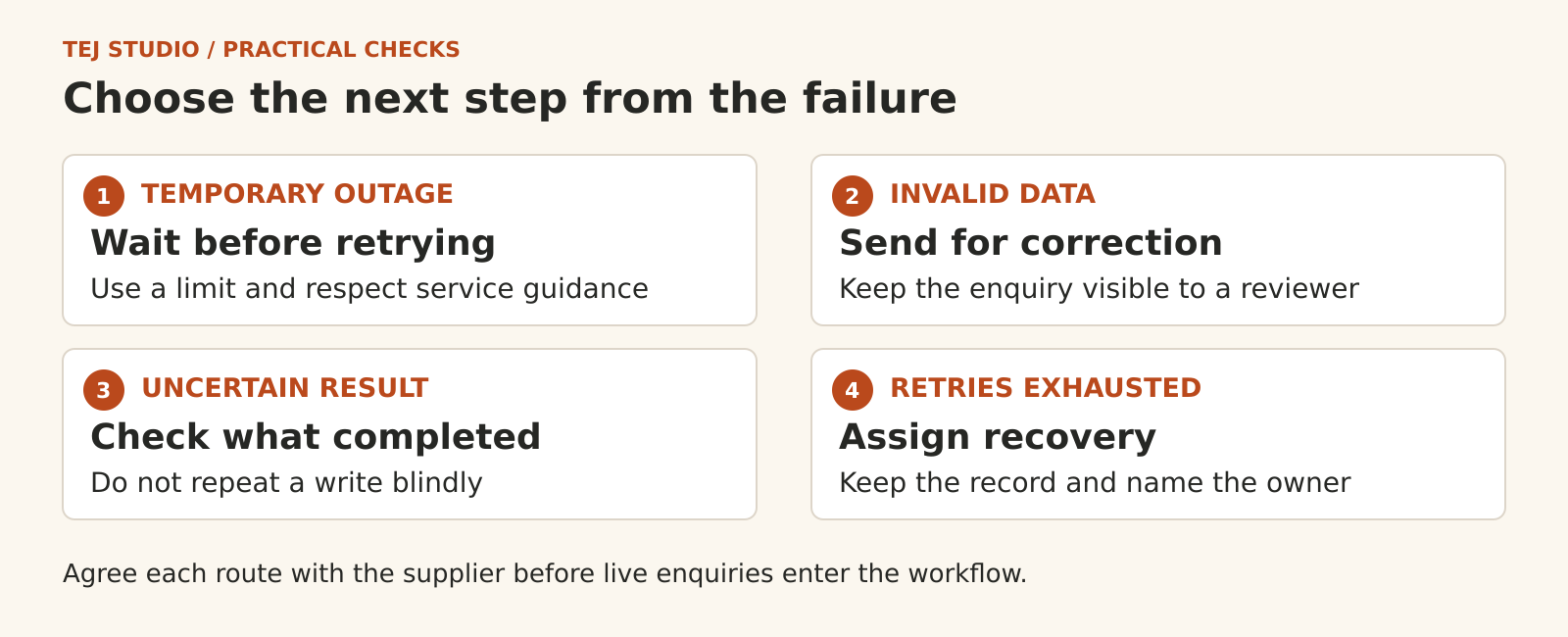
A busy service or brief connection failure may recover after a delay. Invalid data or missing access usually needs a correction. Ask how the integration identifies each case and what it does when a service asks it to slow down.
The retry plan should specify a delay, a stopping point and the next owner. Repeating requests indefinitely can add load to a struggling service and leave work pending for too long. Have the supplier explain how built-in retries in the connector interact with any extra retry logic, so several layers do not keep repeating the same work.
Check for duplicates when the result is uncertain
A timeout does not establish that the CRM rejected the enquiry. The CRM might have created the record while its reply was lost. Sending the create request again can then produce a duplicate.
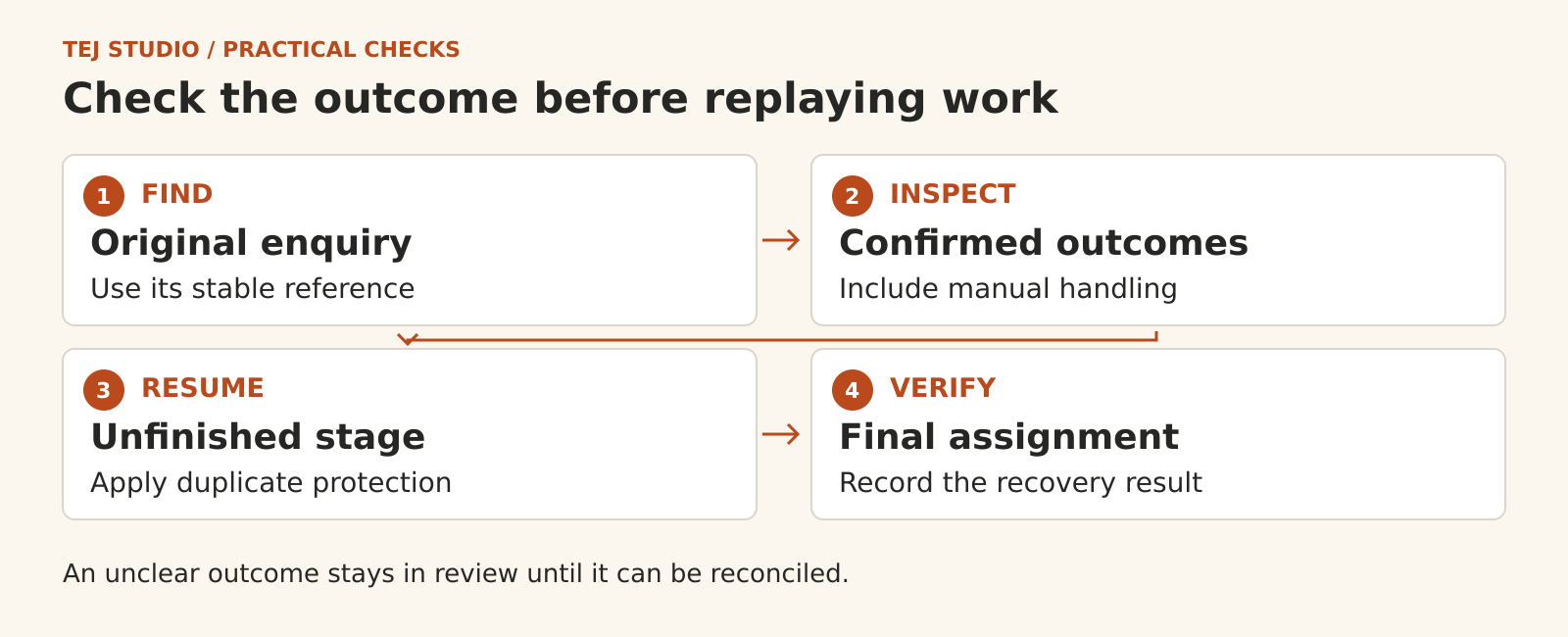
Ask for a stable reference for each submitted enquiry, carried through the workflow and retained with its processing history. The supplier should show how the chosen CRM or integration prevents the same operation being applied twice. Some APIs provide an idempotency key for this purpose. Other designs need enforced uniqueness or an equivalent control. A quick search followed by a create action can still race if two attempts run together.
Match the reference to the enquiry, rather than using the customer's email address alone. One person can make two genuine requests. The design needs to distinguish a repeated delivery of the same enquiry from a new job, and define what happens when an earlier enquiry is corrected.
Give the recovery queue an owner
Ask where accepted enquiries remain available while the CRM is down. A failed-run screen is useful only if someone can access it, understand the next action and retrieve enough information to continue. Agree who checks the queue, who covers absences and when a waiting enquiry needs escalation.
An alert should identify the enquiry reference, failed stage and required action. Keep customer details in the approved business system wherever possible instead of copying full form submissions into every notification. Decide how long operational records are kept and who can see them.
Recover the unfinished work without repeating completed steps
Suppose the CRM record exists but task assignment failed. Recovery should establish that the record is present and resume the unfinished stage. Restarting the whole workflow may create another record or repeat a message that already went out.
The same check matters after manual handling. If the office has already dealt with an enquiry, a delayed replay should respect that recorded outcome. Ask the supplier to show how staff mark an item resolved and how automatic recovery avoids undoing or duplicating their work.
Ask for a recovery demonstration
Use labelled test enquiries and ask the supplier to demonstrate these cases before acceptance:
- The CRM is unavailable when a valid enquiry arrives.
- The CRM creates a record, but the integration loses the response.
- The same enquiry is delivered twice, including overlapping attempts.
- A record is created, but its follow-up task fails.
- Staff resolve an enquiry before a delayed retry runs.
For each test, inspect the original enquiry, CRM records, task assignment and recovery history. Agree who monitors failures after launch and whether fixing broken connections is included in ongoing support. A successful test should leave an understandable result for the people who will operate the workflow.
If you are planning an enquiry workflow, explore Tej Studio's AI and automation services. Bring the current handoff and its failure cases to the scoping discussion so recovery can be included in the build.
Put the thinking to work.
Discuss what these questions mean for your product or business.
Tej Studio's AI and automation services Start a conversation