
OTT & media
OTT playback testing before you accept a platform
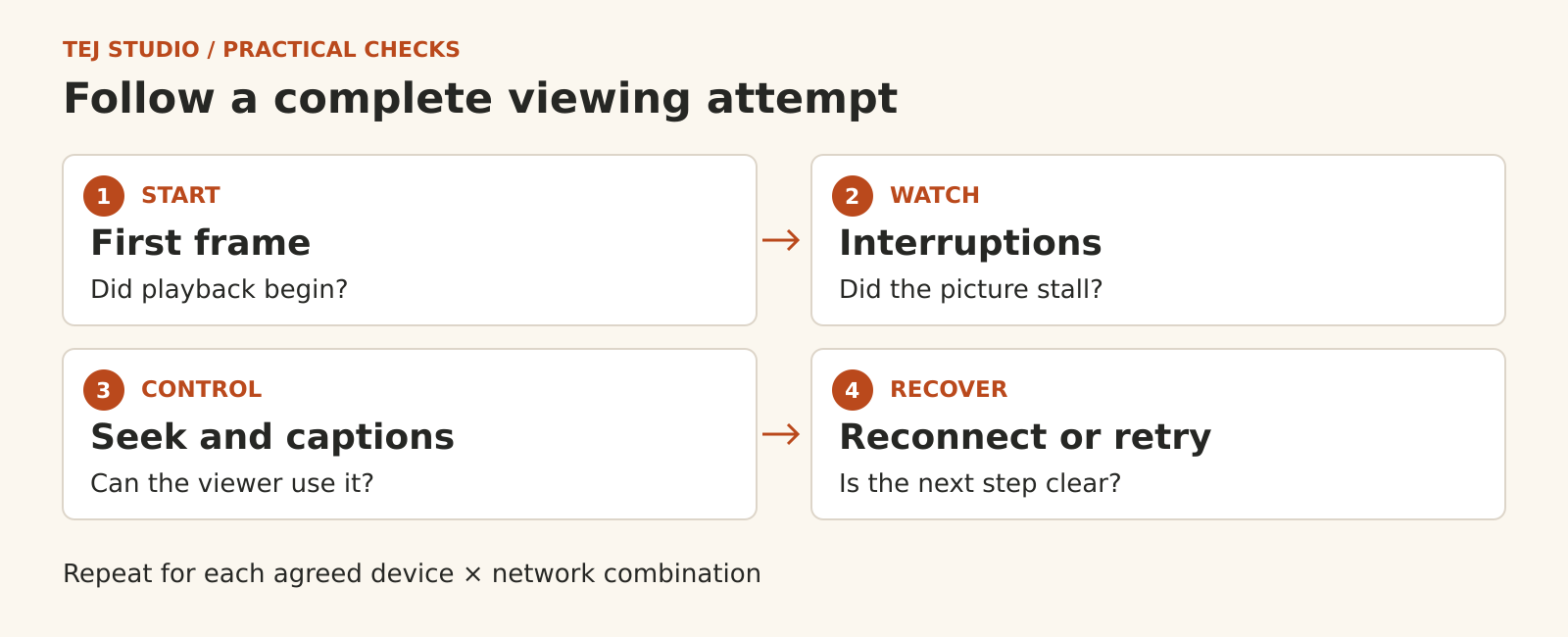
Before accepting an OTT streaming platform, ask the supplier to demonstrate the viewing journey on your agreed devices and network conditions. Record startup, interruptions, controls and recovery, then decide which unresolved issues prevent launch. A video playing once on a developer’s laptop leaves too much of that decision untested. For an Australian publisher launching an on-demand catalogue, the useful deliverable is a repeatable playback test plan with evidence. Here is what to put in it before the build reaches sign-off.
Name the combinations you are buying
List the launch devices, operating systems, browsers and app versions the supplier will support. Include connected TVs or casting only where they belong in the agreed scope. “Works on mobile” gives neither side a clear acceptance test.
Choose representative Australian viewing conditions: home broadband, a mobile connection and a controlled constrained-network test. Include relevant regional viewers in a permitted pilot where possible. Test from launch territories; a successful overseas office test cannot establish the experience your Australian audience will receive.
Record the actual device and conditions for every result. Keep the first matrix manageable, but make exclusions visible. Your broader audience and device decisions can sit in the video platform launch plan.
Test your actual catalogue
Use permitted examples of the content you intend to publish, including a long programme, motion-heavy footage and a title with captions where relevant. Check the published stream produced by the real upload and encoding process, rather than a hand-picked demonstration file.
Adaptive streaming can change delivery quality as network conditions change. It still needs testing with the selected player, content and devices. Watch transitions, audio synchronisation, fine detail and the result after seeking. A stream passing a technical validator does not establish acceptable visual quality.
If resume viewing is promised, close the player and return. Define whether the saved position follows the account across devices, how recently it must have been saved and what should happen near the end of a title. Treat these as product requirements to demonstrate.
Separate startup from stalls and failures
Ask for playback-specific observations alongside ordinary website analytics. Starting slowly, stopping to buffer during viewing and failing to play are different problems. A page-load result or a total play count cannot explain them on its own.
- Startup: record the wait between the agreed starting event and the first frame. State whether that timing includes ads or player initialisation.
- Interruptions: record when playback stalls and for how long. Separate seeking delays from stalls during normal viewing.
- Failures: record attempts that never start and sessions that end with an error. Preserve the error code and the steps that led to it.
Agree targets with the supplier for the defined test conditions. Specify the measurement method, sample and treatment of failures. A reassuring average can hide a device-specific problem, so review the supported combinations separately. Avoid adopting an unexplained universal “good streaming” score.
Include captions and usable controls
Check that viewers can find and select captions, that timing matches the speech, and that relevant non-speech sounds are represented. Review the actual caption content as well as whether a caption button exists.
For web playback, test the controls with a keyboard, visible focus and appropriate assistive technology. On TV, test remote navigation. Check labels and contrast, plus the selected behaviour in full screen. These are useful acceptance checks; they do not replace a complete accessibility assessment.
Rehearse an interruption and the support response
In the agreed test environment, interrupt the connection and restore it. Does playback recover, or does the viewer receive a useful retry action? Repeat a failed attempt and check that support staff can locate the relevant session without asking for a password.
Separate playback faults from account or content-access decisions. If a paid viewer is refused access, record the reason and route it to the right owner. The detailed protection requirements belong in your access-control scope.
Make sign off a recorded decision
Ask for the test matrix, results, unresolved issues and successful retests. Agree which defects block launch, who accepts any remaining limitations and who handles incidents after release. Keep any load-testing claim separate: a small playback pilot cannot prove capacity for a large launch.
Planning an on-demand service? Explore Tej Studio’s OTT platform approach and discuss your launch devices and playback requirements. Start with the scope; leave confidential content and account details out of the initial enquiry.
Put the thinking to work.
Discuss what these questions mean for your product or business.
OTT platform approach Start a conversation