
Software & technology
Restaurant booking requests or instant confirmation?
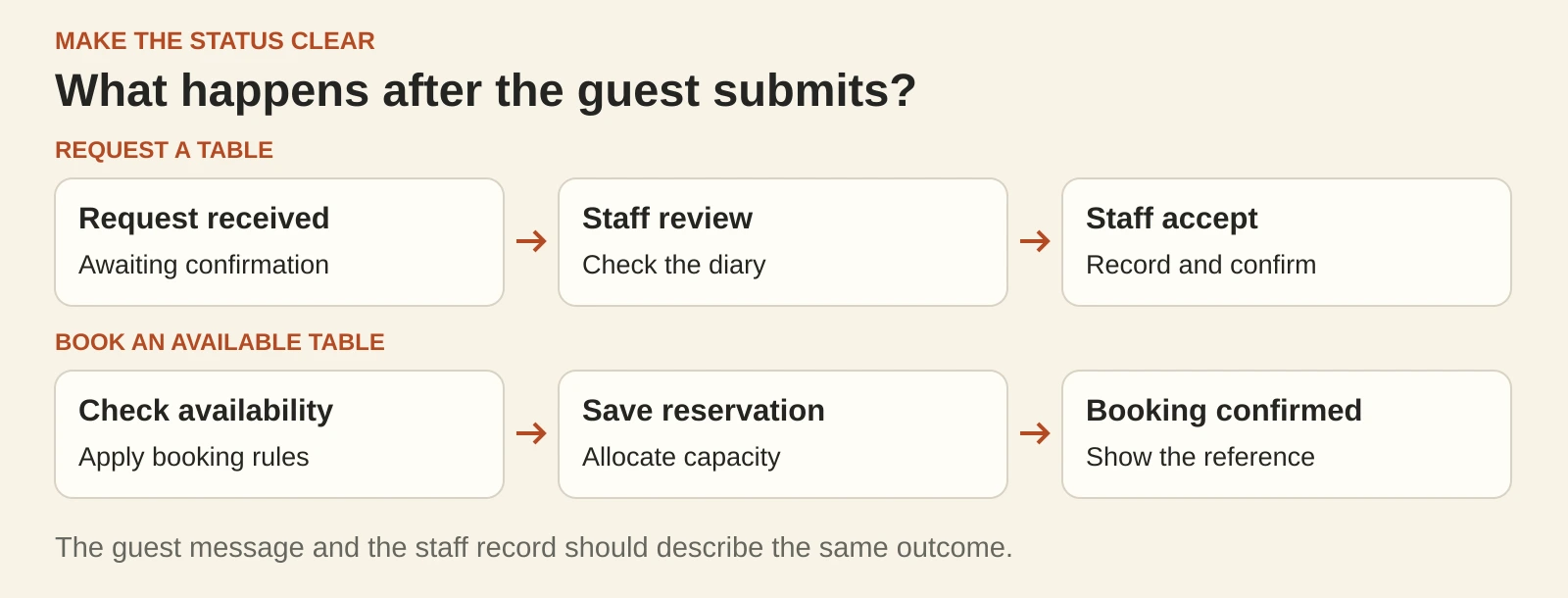
A guest chooses Friday at 7 pm, enters their details and sees “Booking confirmed”. Your team receives an email asking whether a table is available. Those two messages describe different outcomes. Before adding bookings to a café or restaurant website, decide what the guest is actually completing: a request for staff to review, or a reservation recorded against available capacity. The website, staff process and guest messages should all agree.
Choose the flow your team can run
A booking-request form can suit a venue where someone checks the diary before accepting a table, or where larger groups need a conversation. It needs a named person to review requests and a realistic response window. A form that sends email alone cannot promise live table availability.
Instant confirmation suits bookings that your reservation system can accept using its current availability and rules. That means keeping service times, table capacity, party sizes and closures accurate. Phone bookings and walk-ins also need to reach the same operating diary.
A mixed approach can work: eligible standard bookings receive instant confirmation, while larger groups follow a clearly labelled enquiry path. Set the cut-off to match how your venue operates.
Make the wording match the result
For requests, use “Request a table” on the button. A useful acknowledgement might read:
“We’ve received your request for four people on Friday at 7 pm. Your table is awaiting confirmation. We’ll contact you after checking availability.”
Add your actual response window and a verified phone number for time-sensitive enquiries. Show the same status on the page and in the email. Only use “confirmed” after staff have accepted and recorded the reservation.
For instant bookings, the confirmation should repeat the venue, date, local time, party size and booking reference. Include a practical way to change or cancel. If the selected slot disappears before completion, explain that clearly and offer another time.
These are example messages, not promises about how quickly your team will reply.
Build the staff side at the same time
Start with one agreed diary and decide who owns each step:
- Who reviews pending requests, including when the usual person is away?
- How do phone bookings, walk-ins and online reservations update capacity?
- Who changes service hours, special dates and booking limits?
- What happens when a request is declined or the guest needs another time?
- Who checks requests that have received no response?
An email alert helps staff notice a booking. Keep the stored booking or request as the record to check if an alert goes missing. Give staff a way to find the details without relying on one inbox.
Test the awkward moments before launch
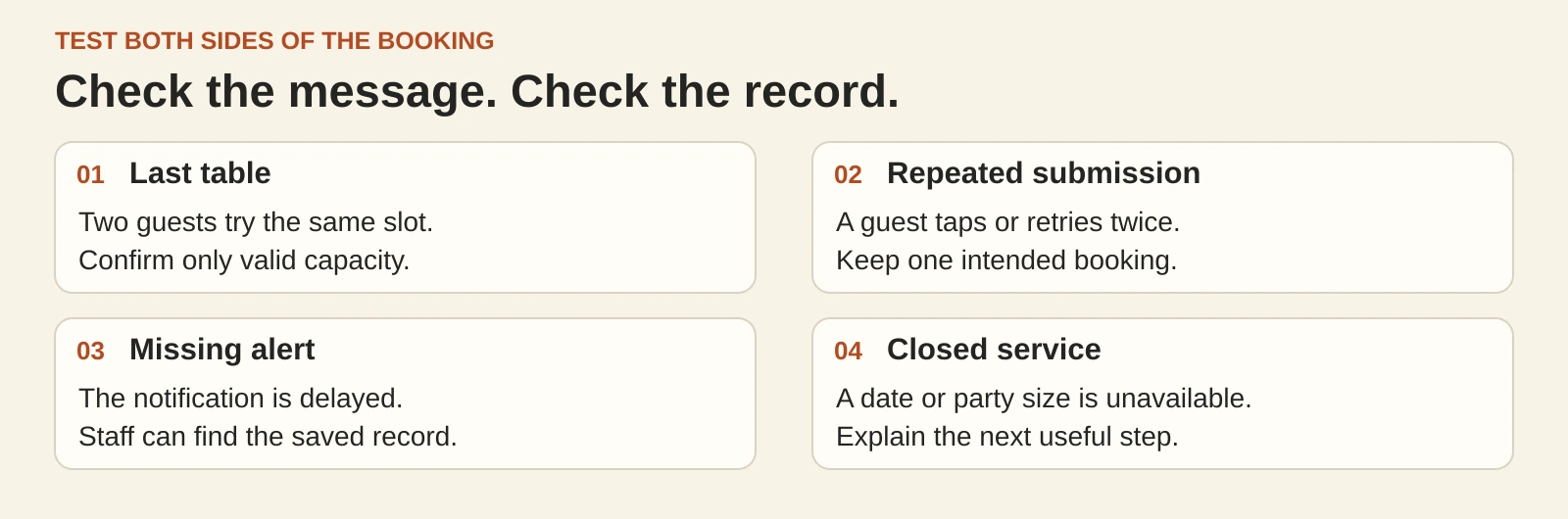
Test both the guest screen and the staff record. A polished success message is only one part of a working flow.
- Last table: try two bookings for the same remaining capacity. Only valid capacity should be confirmed.
- Repeated submission: double-tap the button or retry after a slow response. Check that one intended booking creates one record.
- Missing alert: verify that staff can still find the saved request when an email is delayed.
- Closed service: test a closed date, an oversized group and a same-day cut-off.
- Changed plans: cancel or amend a booking and check the guest message, diary and released capacity.
Use test details and an agreed test process. Avoid leaving fake reservations that staff could mistake for real guests.
Keep the first version focused
Begin with the information needed to handle the booking: guest name, contact details, date, time and party size. Keep optional notes purposeful. Use a suitable payment provider if deposits are part of the agreed flow; never collect card details through a general enquiry form.
Ask your supplier to demonstrate one complete journey, from the website button to the staff record and guest update. Agree how failures will be handled and who maintains the booking rules after launch.
Planning a booking feature for your venue? Talk to Tej Studio about the guest journey, staff workflow and the right first version.
Put the thinking to work.
Discuss what these questions mean for your product or business.
Custom business websites Start a conversation