
Software & technology
Website and software handover checklist
A useful handover lets your team run the everyday tasks, find the right accounts and get help when something breaks. It also gives a future developer enough information to maintain the work. Before a website or software project wraps up, book a handover session and agree what you will receive. Use this checklist to turn a folder of files into something your Australian small business can actually use.
Know what the business controls
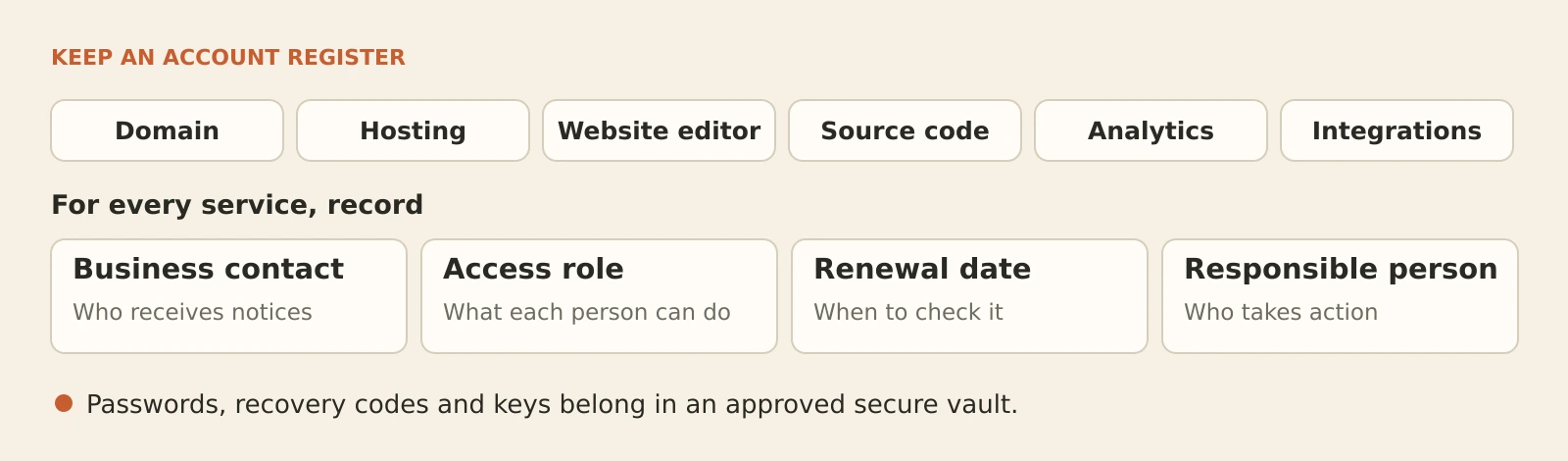
Start with an account register covering the domain, hosting, website editor, source code, analytics and connected services. For each one, record the provider, business contact, access role, renewal date and responsible person.
Check whose account holds each service and how the business can recover access. For a .au domain, confirm the registrant and contact details with your provider, and make sure renewal messages reach a monitored address.
Ask what your agreement says about the code, design files, content and third-party licences. Confirm what you receive, what you may change and what can transfer to another provider. Put any unresolved ownership questions in writing before signing off.
Transfer access safely
Use the provider’s official invitation or ownership-transfer process where available. Give people individual accounts with the access their role needs, and turn on multi-factor authentication.
Keep passwords, recovery codes and API keys out of handover documents, email chains and recordings. If credentials must be shared, use an approved password manager’s secure sharing feature. Record where authorised people can find them, rather than copying the secrets into the guide.
Test the business’s access before removing the outgoing person’s permissions. Have the technical owner review old accounts, integrations and access keys so unused access is removed without breaking working services.
Ask for instructions your team can use
Keep the everyday guide short. It should explain how to:
- Edit and preview a page, image or service description
- Check where enquiries, bookings or orders arrive
- Add or remove a team member
- Find help and report a problem with useful details
For custom software, request a separate technical guide covering the code location, setup steps, dependencies, integrations, deployment and recovery. Ask the developer to identify the current live version and list known issues with an owner and next action.
Store the guides somewhere the business controls. Add a review date and update them when the system changes.
Give ongoing work a named owner
Agree who handles software updates, backups, domain renewals, uptime alerts and failed form submissions. Record who acts, who approves changes and who covers absences. A supplier name alone is not enough if nobody knows how to contact them.
For updates, ask which happen automatically and which need testing. Confirm the backup and rollback approach before changes. A booking form or checkout should be tested again afterwards.
For backups, document what is included, how often they run, how long they are kept and who checks failures. Ask for a restore demonstration in a safe test environment.
Write down support hours, the contact route and any agreed response expectations. Confirm which work needs a separate request or approval.
Finish with a practical demonstration
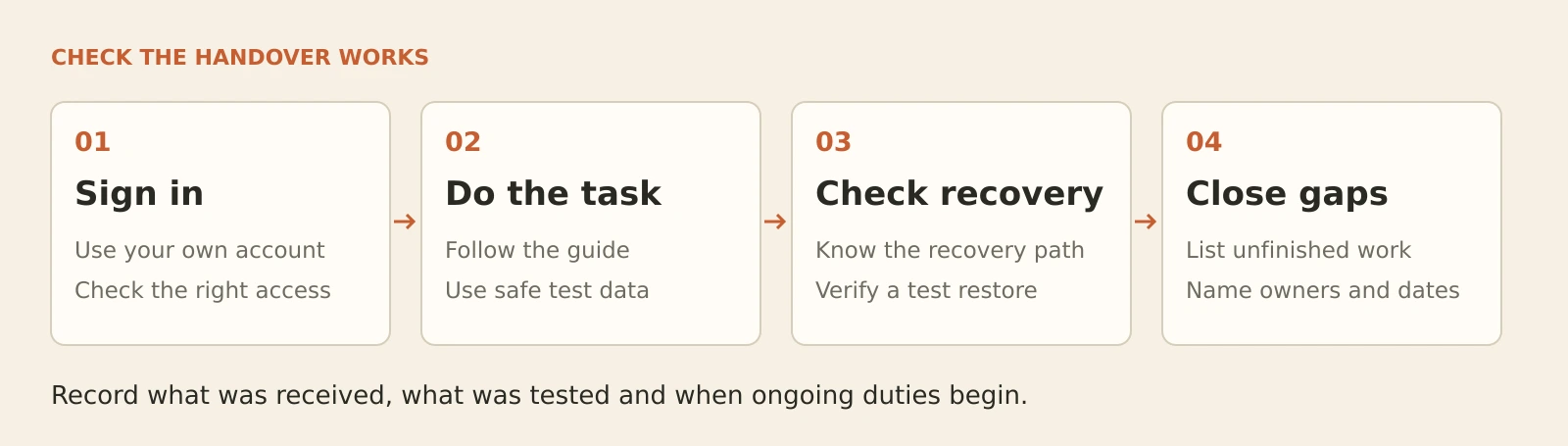
Let someone from your team use their own account and follow the guide. Have them update a sample page, send a test enquiry and find the support contact. For software, choose a typical end-to-end task using test data.
Record anything that fails or needs an explanation, then agree who will fix it and when. Avoid treating a watched screen-share as proof that your team can repeat the task independently.
Your final handover record should show what was received, what was tested, what remains open and when ongoing responsibilities begin.
Planning a new build? Include handover in your custom software development brief from the start. Talk to Tej Studio about what your team needs to manage after launch.
Put the thinking to work.
Discuss what these questions mean for your product or business.
custom software development Start a conversation