
OTT & media
OTT continue watching: keeping a viewer’s place across devices
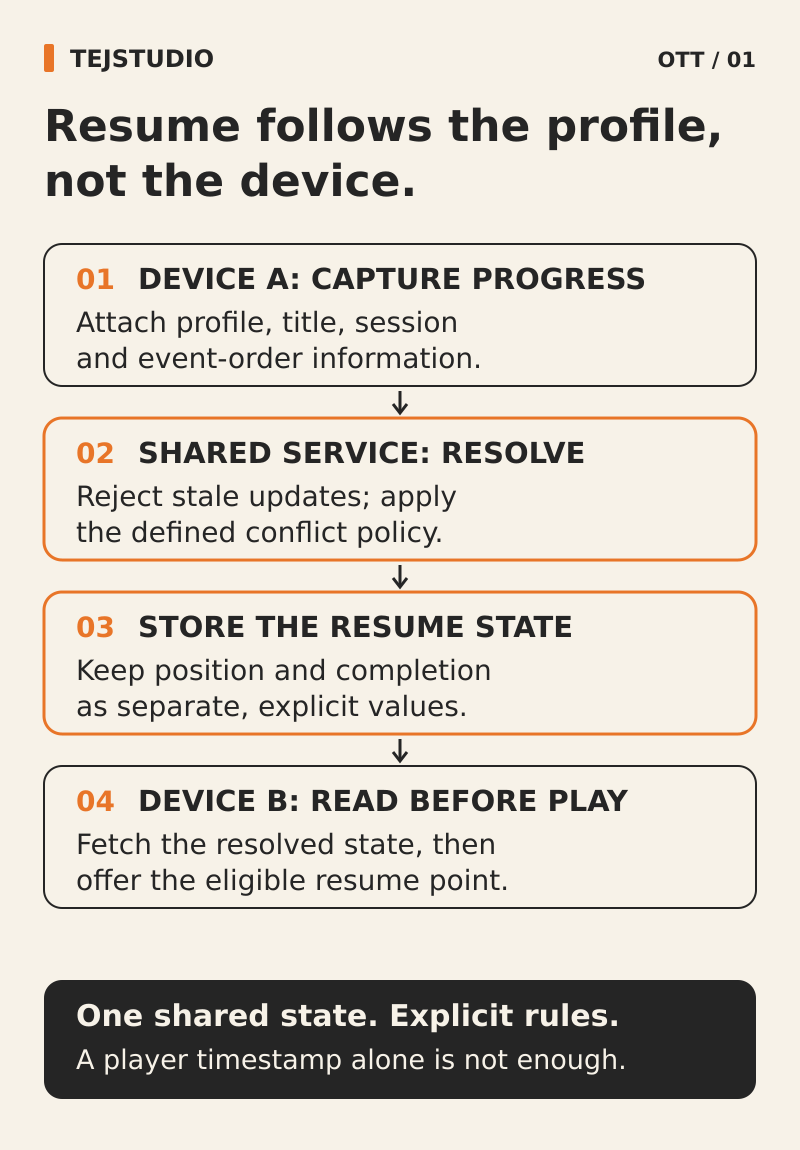
A useful continue-watching feature should take the right viewer back to the right title and place, even after they change devices. Before buying an OTT platform, agree who owns the saved progress, how devices share it and what happens when someone restarts or finishes an episode. Put those decisions in the scope rather than leaving them behind a generic “resume supported” promise.
Start with the return visit
Imagine a viewer who starts a documentary on a laptop and returns to it on the television that evening. The title appears in Continue Watching, but opens at the beginning. The thumbnail was present; the viewing journey was still broken.
For an Australian publisher planning a streaming service, OTT continue watching needs a clear product policy. Decide which launch devices should share progress and where viewers can resume: the home screen, a title page, search results or a supported television home-screen integration. Each entry point should lead to the same agreed outcome.
Keep the initial scope focused on the devices your audience will actually use. A web-only launch can still need continuity between browsers and computers.
Attach progress to the viewer, not the screen
Choose whether progress belongs to an individual account or a profile within that account. A household using separate profiles should not accidentally share one saved position simply because everyone watches on the same television.
Make the active profile visible before viewing begins. Agree what happens when someone changes profile, signs out or returns to a shared device. A saved position should remain associated with the person or profile that created it, rather than silently moving to whoever signs in next.
If guest viewing is included, define its limits. Decide whether guest progress stays on that device, is discarded or can be deliberately attached to a profile after sign-in. Avoid an unexplained automatic merge.
Respect the viewer’s latest choice
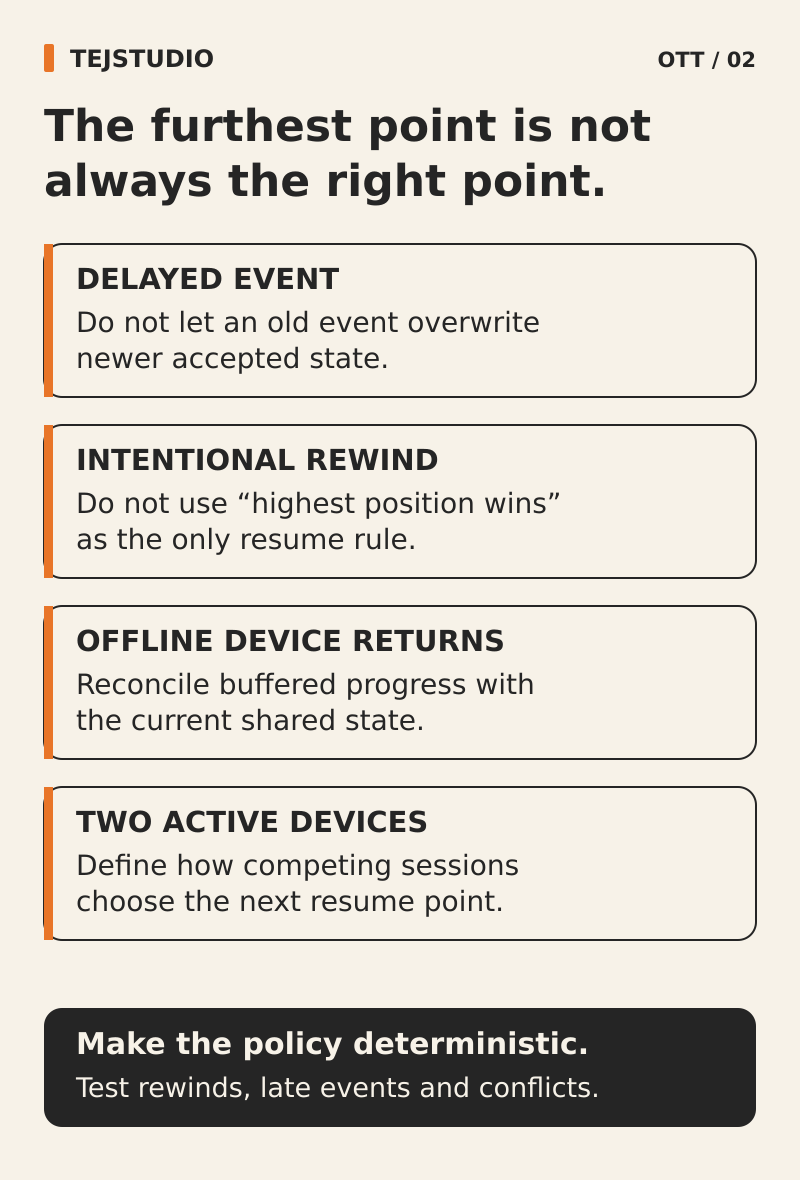
The furthest point reached is not always the place a viewer wants to resume. Someone may restart a film or return to an earlier scene. A rule that always keeps the largest timestamp can undo that choice.
Consider another everyday case: a laptop remains paused while the viewer continues on the television. Later, the old laptop session becomes active again. Ask which position the service will keep and how it distinguishes an old session from a deliberate new viewing choice.
These are product decisions for your supplier to implement. Ask for a written rule covering normal handover, competing sessions and explicit restart. Avoid approving “the latest update wins” until the team explains whether “latest” means the viewer’s action or the arrival of a message from an older session.
Agree how fresh a saved place must be
Describe the handover you expect under normal connected conditions. When someone pauses on a phone and opens the service on a television, how soon should that television offer the updated position? What happens if its home screen was already open?
Agree when the service saves progress and when another device refreshes it. Include the experience after the player closes unexpectedly. A promise to remember the exact final frame in every circumstance needs more qualification than a promise to resume from a recent saved point.
If the current position cannot be retrieved, choose an honest fallback. The interface might offer the last available position or ask the viewer to start again. It should not present an old position as confirmed current progress.
Separate resume, restart and remove
These controls express different intentions. Resume continues the current viewing. Restart begins the title again. Remove from Continue Watching tidies the home screen. Decide whether removal also clears the saved position, and label the behaviour accordingly.
Agree whether a removed title returns when the viewer starts watching it again. Also specify whether restarting a completed episode changes the series’ next-episode suggestion. These small choices determine whether the service feels predictable when people rewatch familiar programmes.
Do not describe removal from a row as deletion of viewing history unless the product actually performs that separate action.
Define when an episode gives way to the next
Choose when a title leaves Continue Watching and when the next episode takes its place. Closing credits, bonus scenes and short episodes make a single unexplained completion threshold a weak requirement.
Use catalogue information where available, then document any fallback for titles without reliable end markers. Keep a deliberate route back to the previous episode, including its ending, even when the main continuation card points onwards.
If television home-screen integration is in scope, check its current platform rules separately. Android TV’s Watch Next guidance, for example, defines handling for unfinished titles, episode completion and updates from viewing on another device. Your own in-app row and the television’s shared row need an explicit relationship.
Keep the saved place tied to the right edition
Replacing a video can change what a saved timestamp means. A revised edit with a shorter introduction may put the same timestamp in a different scene.
Ask how the platform identifies a title and its particular video version. Decide which replacements preserve progress, which need a mapped position and which should offer a clear restart. A publishing team should know the effect before replacing a file, rather than discovering it through viewer complaints.
Put the continuity rules in the proposal
Ask the supplier to turn the agreed decisions into a short progress policy that product, publishing and support staff can use. It should name:
- The account or profile that owns progress, including shared-device and guest behaviour.
- The supported device handovers and the expected freshness of saved positions.
- The treatment of competing sessions, restart, removal and episode completion.
- The effect of replacing a video and the person responsible for that publishing decision.
- The information support can use to explain a misplaced resume point without asking for the viewer’s password.
Put the thinking to work.
Planning a streaming service? Tell Tej Studio which devices your viewers will move between and how you want them to continue watching. We can discuss those requirements as part of an agreed OTT scope. Discuss your project with Tej Studio. Explore OTT platform development · media and entertainment platform planning.
Start a conversation