
OTT & media
Paid video subscriptions and when access should stop
Paid-video access should follow the verified subscription entitlement and its effective end time. Before buying a platform, agree separate rules for cancellation, failed renewal and refunds, then ask the supplier to demonstrate them on every purchase channel you plan to support. An Australian publisher launching a subscription video service needs a clear answer when a viewer asks, “Why can’t I watch?” A single “cancelled” label is too vague to explain whether renewal was switched off, paid access expired or a purchase was revoked. These events can lead to different outcomes. This guide covers ordinary paid, auto-renewing subscriptions. Free trials, rentals, offline downloads and instalment or commitment plans need additional rules and tests. Start with the channels in your launch scope; a web-only service does not need an app-store billing system built in advance.
Separate the cancellation request from the access end
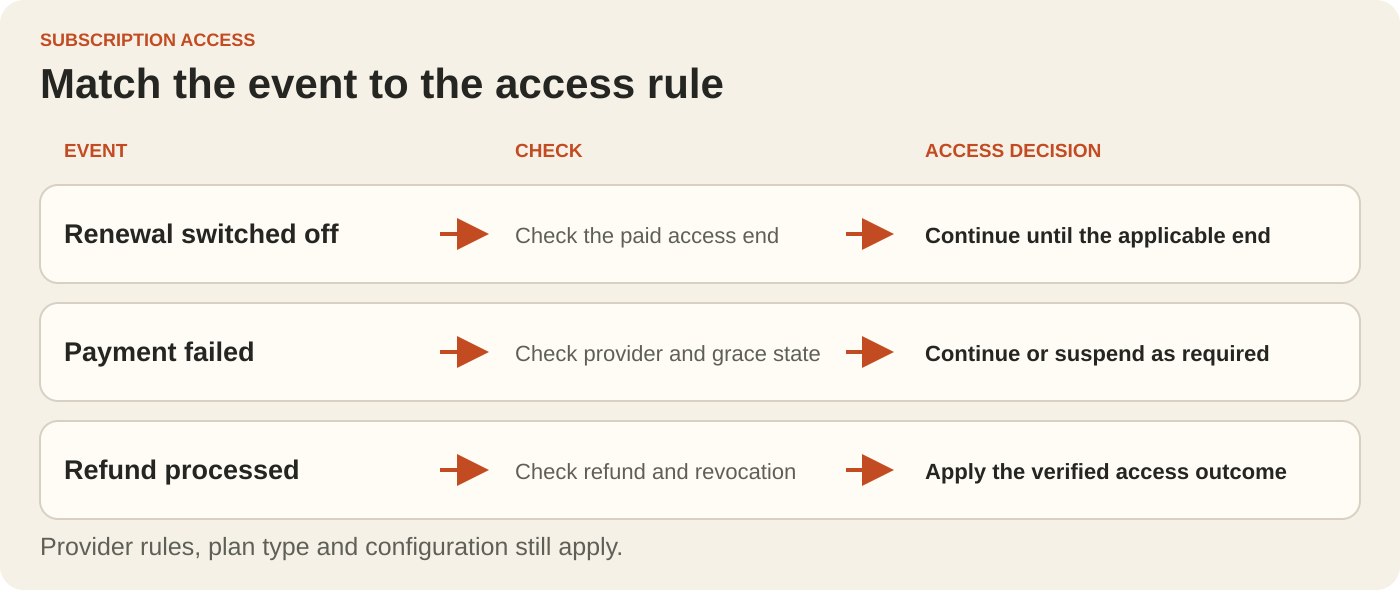
For a period-end cancellation, a viewer who switches off renewal can keep watching until the applicable paid-access end. The interface should show that date clearly and stop promising another renewal. The platform must also apply the cutoff when the period ends.
Web billing can be configured differently. With Stripe, for example, cancellation can be immediate or scheduled for the period end. Ask which action your customer portal and support tools perform. Apple and Google also distinguish turning off renewal from the end of entitlement. Define the behaviour for each channel instead of copying one provider’s status label into every app.
Record exact effective times and display an unambiguous timezone. “Ends at midnight” is incomplete for a service used across Australia. The customer message, support view and access decision should refer to the same moment.
Decide what happens during payment recovery
A failed renewal can enter a recovery process. Where a valid billing grace period applies, Apple and Google allow the subscriber to keep their benefits. Access may end while payment collection attempts continue: Google account hold blocks subscription benefits, and Apple billing retry can continue after grace has expired.
Ask the supplier to show the current provider state and applicable end time. Avoid a fixed grace duration written into every product, because eligibility and configuration vary. For web subscriptions, document the chosen access policy and how the platform handles overdue, unpaid and cancelled states.
Also test a successful recovery. The correct benefits should return after the current subscription state is verified. A payment-success event alone can be insufficient; for example, paying one Stripe invoice does not necessarily resolve every outstanding invoice or make the subscription eligible again.
Give refunds their own access rules
Specify the refund amount, renewal outcome and access outcome separately. A goodwill refund might leave an eligible subscription running, while a refund combined with revocation ends the affected entitlement. Support staff need to know which operation they are authorising.
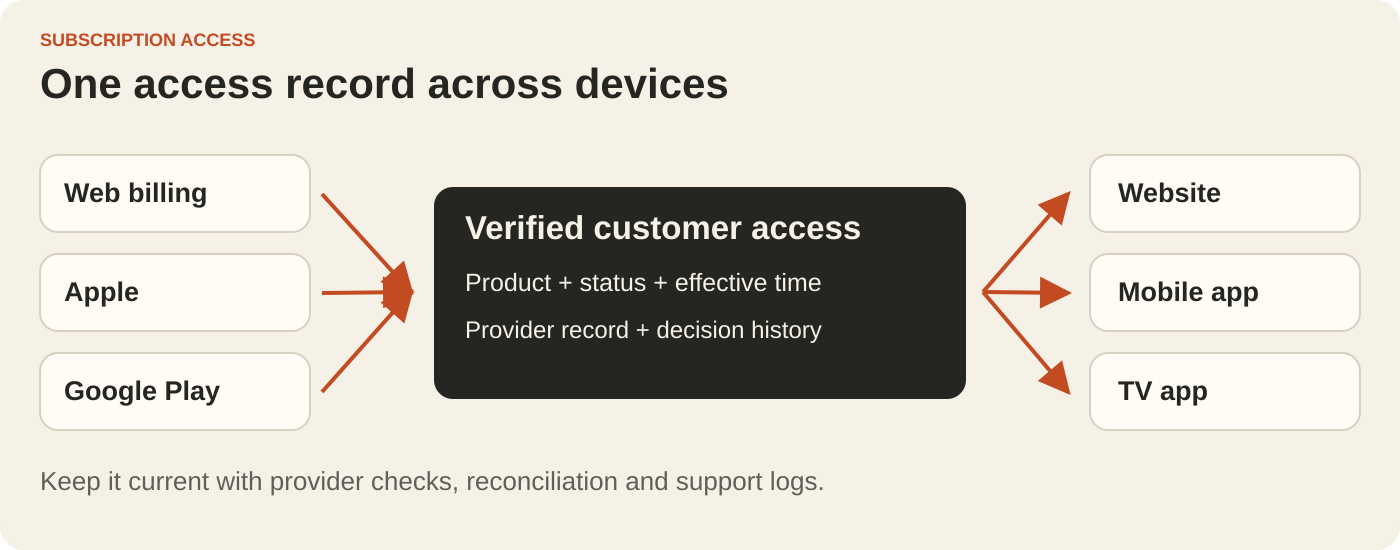
Google supports refund actions with a separate revocation choice, as well as subscription revocation flows that terminate access. Apple’s current entitlements exclude refunded or revoked purchases, and a refund reversal can require service to be reinstated. These differences matter when one service sells through several channels.
Ask what happens if a customer has another valid purchase that still grants the same benefits. Removing one purchase should not accidentally erase unrelated eligible access. Make the support screen show the reason for the decision, and distinguish a requested, pending or failed refund from a completed one.
Use a short acceptance script before launch
For each purchase channel in scope, have the supplier run the applicable cases using its supported test facilities. Record the resulting access on the website and each supported app.
- Switch off renewal with paid time remaining, then check access immediately and at the applicable end.
- Trigger a failed renewal with valid grace, then move beyond grace or into account hold and check the cutoff.
- Recover an eligible subscription and check that the correct benefits return without an unnecessary new purchase.
- Where the purchase channel supports it, compare an authorised refund that preserves access with a refund-and-revocation flow. Test a reversal where supported.
- Deliver a duplicate or delayed update, and reconcile a missed update, without replacing a newer valid access decision with an older one.
Agree an access-update target and measure it during testing. Provider notifications can be delayed, repeated or delivered out of order. Ask how the platform checks current provider records, catches missed changes and shows support when an account was last verified.
Put the rules in the quote
Ask for a small register covering the purchase channel, product, renewal setting, current entitlement, effective end, refund or revocation state and decision reason. Include ownership of billing configuration, support permissions, testing and ongoing reconciliation. This makes gaps visible before the checkout design becomes the focus of acceptance.
Keep your customer terms and refund obligations under separate review; technical provider behaviour alone does not settle them. The buying decision here is whether the proposed system can apply your approved rules consistently and explain the outcome.
Put the thinking to work.
For a new OTT streaming platform, bring the intended sales channels and cancellation scenarios to Tej Studio. Agree the access rules alongside the playback acceptance checks before settling the build scope.
Start a conversation