
Software & technology
Website accessibility evidence to request before launch
Before approving a new business website, ask for the accessibility target, the pages and customer tasks tested, the findings from human checks, and evidence that reported problems were retested. Put those deliverables in the project scope early, so launch approval rests on work you can review. For an Australian small business, website accessibility testing should answer a practical question: can customers find information and complete the tasks the site offers? A neat homepage tells you little about a menu, enquiry form or booking step that someone cannot use.
Agree what the supplier is testing
Ask the supplier to name the Web Content Accessibility Guidelines version and level being evaluated. “Accessibility included” leaves too much open to interpretation.
The Australian Human Rights Commission’s digital-access guidance recommends WCAG 2.2 at a minimum Level AA. The guidance is not legally binding, and following it does not guarantee protection from a discrimination finding. Get independent legal advice if you need to establish your business’s particular obligations.
For the project brief, record the agreed target and who will evaluate it. Ask about the evaluator’s relevant experience and how accessibility will be checked during development. Leaving every check until the final week makes it harder to resolve problems before the planned launch.
Ask for a page and journey list
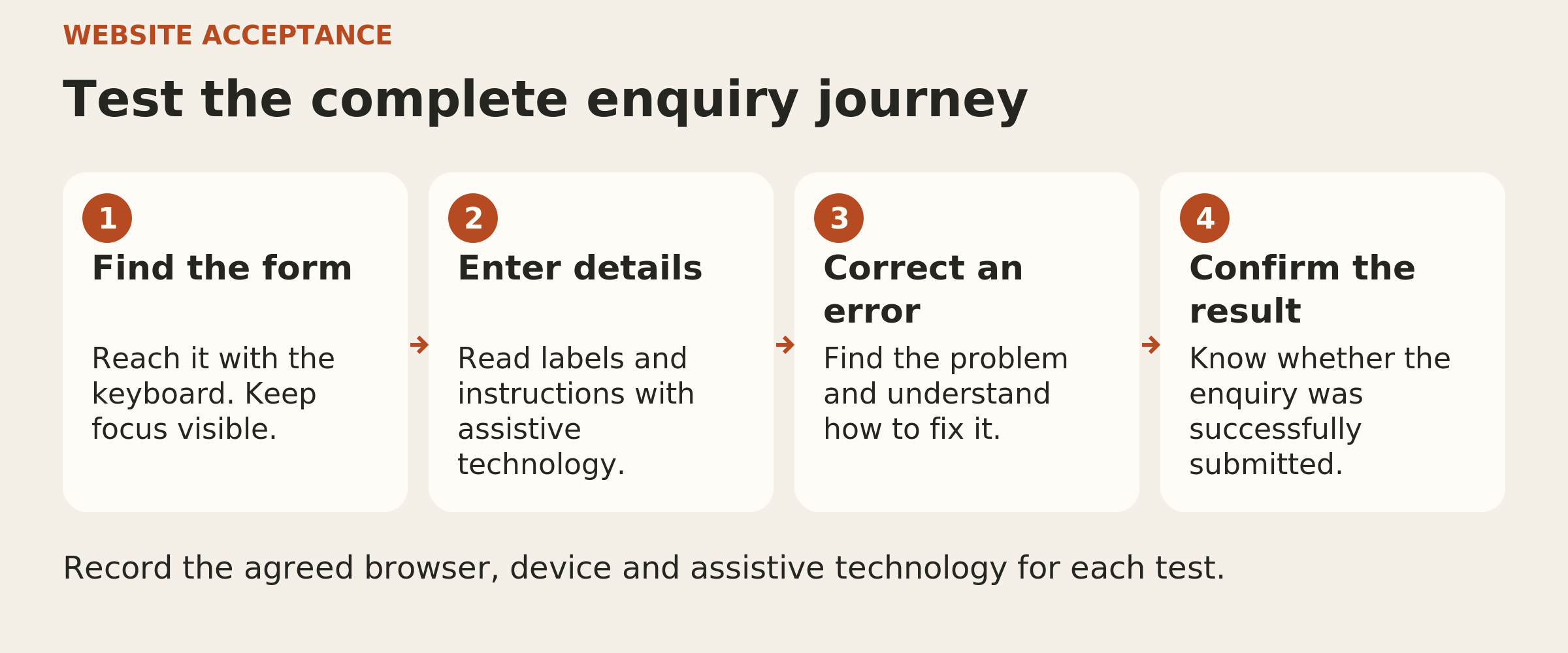
The report should identify what was reviewed and when. On a small service-business site, useful examples include service pages, navigation, the contact form, error messages and the confirmation shown after an enquiry.
Include the customer-facing tools supplied by other companies, such as an embedded booking system. Find out who can change each component and who will chase a fix.
WCAG conformance applies to complete pages and complete processes. If a booking widget was excluded from testing, ask what evidence covers that part of the journey. Record any gaps plainly.
Where testing uses a sample, ask how it was selected. Testing a selection of pages alone cannot establish a whole-site conformance claim.
Request human checks alongside automated results
Automated checks are useful for finding some problems, but no tool alone can establish whether a website meets accessibility standards. A scan score needs the findings and human evaluation behind it.
Ask the evaluator to demonstrate checks such as:
- Keyboard use: reach and operate the menu, links and form without a mouse, with a visible indicator of the current focus and no place where the keyboard becomes trapped.
- Enlarged content: increase text size and check whether important content or controls become clipped, overlap or disappear.
- Form errors: submit an incomplete enquiry, identify the missing information, correct it and finish the task.
- Reading structure: check meaningful headings, useful image descriptions and understandable field labels.
- Screen-reader use: explain the controls and complete an agreed customer task using the documented browser and screen-reader combination.
These are useful demonstrations, not a complete accessibility audit. The evaluator still needs to assess the relevant requirements across the agreed scope.
Testing with people with disability can also reveal practical barriers that a standards review misses. Ask how that involvement fits the project. One participant’s successful experience should not be presented as evidence that the site works for everyone.
Make the findings usable
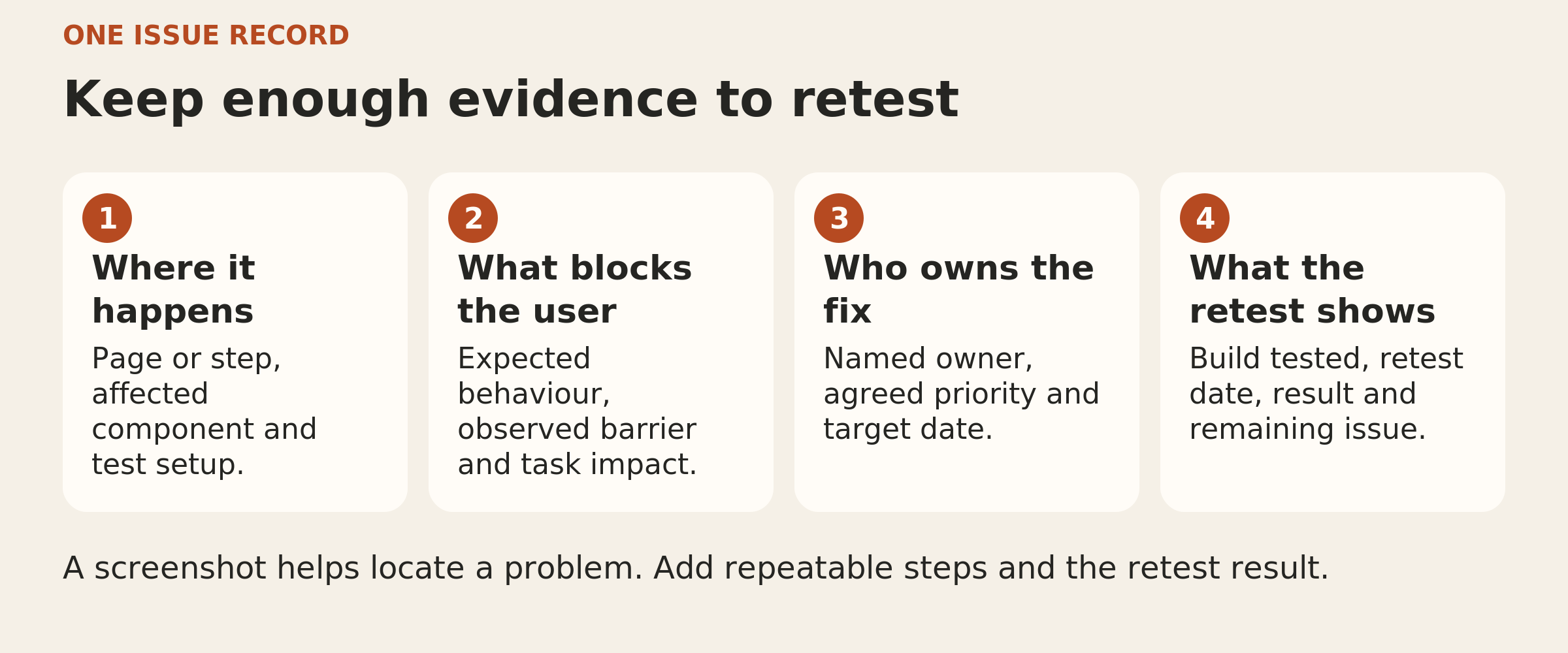
Ask for a short summary you can discuss and a detailed record the developer can act on. The report should distinguish automated findings from manual findings and identify the test date, reviewer and tools used.
For each issue, request:
- The page or step where it happened
- What the person was trying to do
- What prevented or disrupted that task
- The relevant accessibility requirement
- The proposed fix, owner and retest result
For example, “contact form accessibility issue” gives you little to assess. A more useful record says that the missing-email error was not announced to the screen-reader user, includes the steps that produced it, and records the outcome after the developer changed the form.
Keep test evidence free of real customer details. A demonstration enquiry can use clearly fictional information.
Agree the launch decision before the deadline
Decide how unresolved findings will affect launch approval while there is still time to act. Pay particular attention to barriers that prevent a customer from reaching information, sending an enquiry or completing a booking.
Ask for a named owner and a proposed resolution date for each remaining issue. A business decision to accept a known defect does not make that defect conform to WCAG. Any claim about the site should match the evidence and its limits.
After a repair, request evidence from the same task being tested again. If a shared menu or form component changed, ask what else was checked for unintended effects. Confirm that the results relate to the version intended for launch.
Keep a clear next step after launch
Agree who receives accessibility feedback and who checks changes to forms, content and third-party tools. Keep the report available so later work can build on the tested baseline.
At the approval meeting, you should be able to explain what was tested, what remains unresolved and who is responsible for the next action. That is a useful basis for a website buying decision.
Put the thinking to work.
If you are planning a new website, Tej Studio can help turn these questions into a practical project brief.
Start a conversation