
Learning & LMS
Does watching a training video mean the course is complete?
Watching a training video can satisfy a course requirement if that is the rule you have deliberately chosen. It cannot, by itself, show that someone passed an assessment. Before buying an LMS with video lessons, ask what the progress display measures and which evidence changes the course status.
Start with the video lesson you actually intend to offer
For an Australian workplace learning team, LMS video completion tracking should begin with a concrete learner journey. Someone opens an induction video, skips ahead, returns to an earlier explanation and finishes on another device. What should the training record show?
This guide covers video uploaded or embedded directly in a learning platform. If your video sits inside a packaged course, use our LMS SCORM compatibility checks alongside the requirements below. The package and its player introduce their own reporting behaviour.
Ask what the progress bar counts
A position near the end of a video tells you where playback reached. It does not establish that the sections before it played. Likewise, accumulated playback time can include the same explanation watched repeatedly.
If the requirement is coverage, ask the supplier to measure distinct played sections against the agreed video length. Replaying a section should not fill an unwatched gap. Decide whether the whole video is required or whether a stated threshold is appropriate, including how introductions and closing credits are treated.
Also agree the treatment of playback speed, seeking and background playback. A page becoming hidden is a browser state, not evidence of attention. Keeping it visible does not prove attention either. Choose behaviour that suits the lesson rather than presenting restrictions as proof of learning.
Keep the learning claims precise
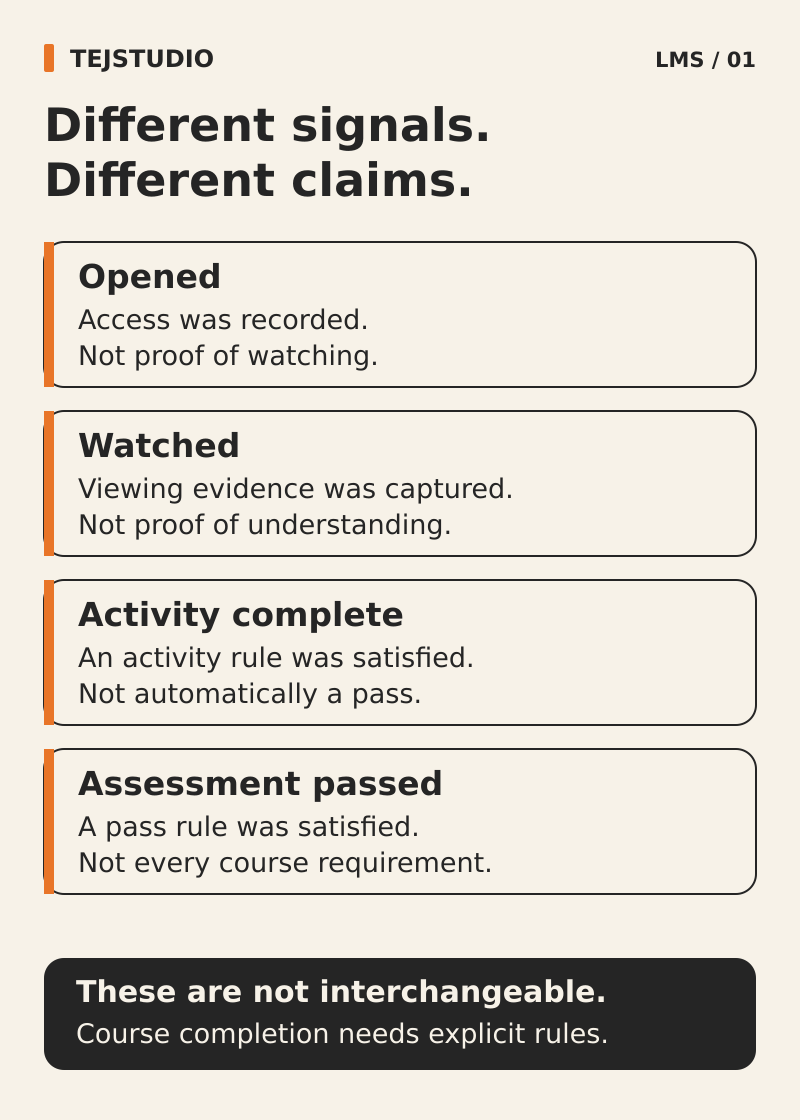
Use three distinct descriptions in the buying brief. Watch progress describes the video activity measured. Course completion means the configured course requirements were met. Assessment passed means the learner achieved the defined assessment outcome.
Moodle illustrates why those labels matter: its view-activity condition can be satisfied by clicking the activity link, while a passing grade is a separate requirement. Ask what the proposed video activity actually reports, rather than assuming that a standard completion tick measures playback coverage.
For an informational update, an agreed viewing requirement may be enough. For a lesson intended to test understanding, specify the assessment evidence separately. A completion badge or certificate should describe the outcome actually achieved; video tracking alone does not establish competence or accreditation.
Test the shortcuts before accepting the player
Use one permitted sample video and fictional learner accounts in the proposed setup. Write the expected result before running each check. Ask to see the saved record as well as the learner screen.
- Seek to the ending: play a short opening section, jump near the end and let playback finish. Under a coverage rule, the skipped middle must remain unwatched even though the player reached its ending.
- Replay one section: watch the same opening repeatedly. Total playback time may rise, but distinct coverage should not increase beyond the sections actually played.
- Change speed and switch tabs: repeat an agreed passage at another supported speed, then put the page in the background. Confirm that measured coverage and any pause behaviour match the written rule.
- Continue on another device: watch an opening section on a laptop, then sign in on a phone and replay some of it before continuing. Confirm that saved coverage follows the learner and overlapping sections are counted once.
- Leave assessment unfinished: satisfy the viewing rule without passing the required assessment. The video may be complete, but the course must remain incomplete when passing is a required course condition.
Follow playback evidence into the learner record
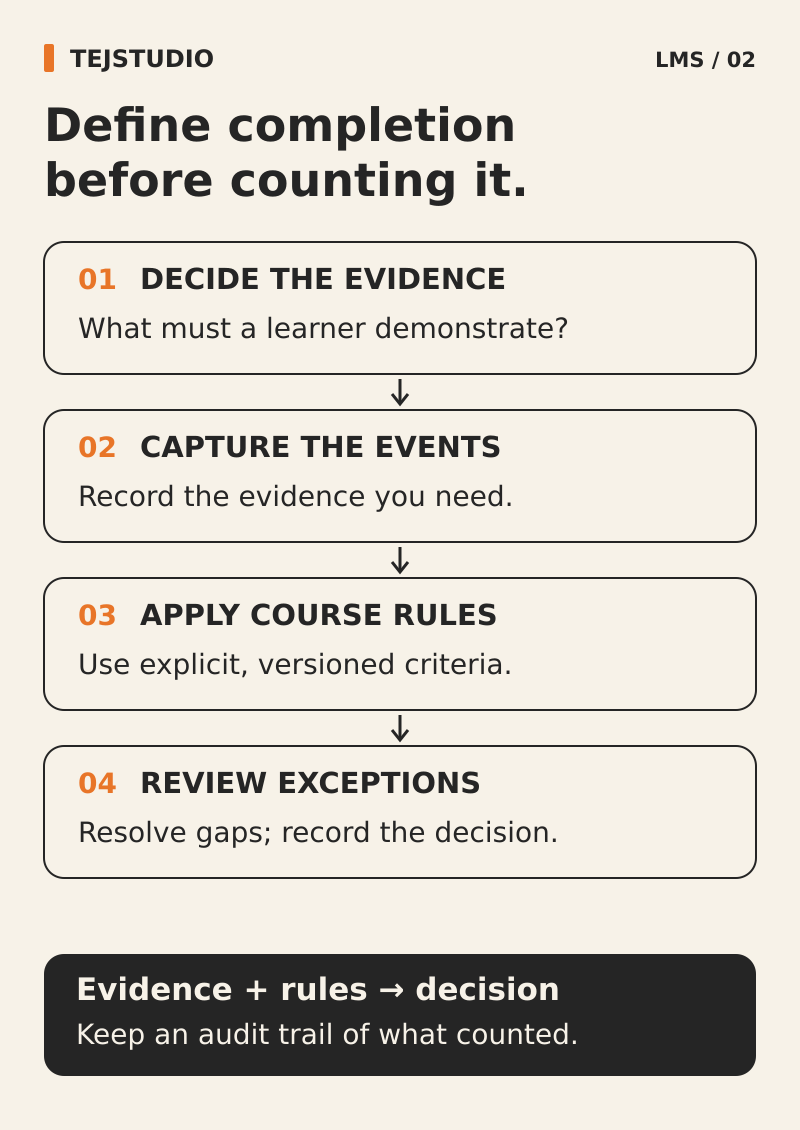
Ask the supplier to show how the player’s events become a saved result for the correct learner and video. Agree which details your team needs to inspect, such as played sections, the coverage rule, completion time and the remaining course requirements.
If xAPI is proposed, request sample video statements and their destination in the learning record store. Confirm which events are sent and how they affect the LMS. A general claim of xAPI support leaves those implementation choices unanswered.
Put the tested player, supported devices, calculation rules and known limitations into the acceptance brief. Where an embedded provider cannot supply the required viewing evidence, either change the integration or describe a narrower completion rule honestly.
Put the thinking to work.
Planning video-based training? Bring Tej Studio a sample lesson, your intended viewing rule and the assessment outcome you need. Our LMS planning page is a useful place to start; leave real learner records out of the initial enquiry. Discuss your project with Tej Studio. Explore LMS SCORM compatibility checks · LMS planning page · LMS development and customisation.
Start a conversation