
Software & technology
How to stop duplicate payments on a custom website
To reduce duplicate payments on a custom website, require a stable order reference, safe retries of payment requests and a separate safeguard against fulfilling the same order twice. Ask the supplier to demonstrate interrupted checkout and recovery before launch. Disabling the Pay button is useful feedback, but the server needs to enforce the rules. For an Australian business selling a one-off product or service, a frozen checkout creates an awkward question: did the payment fail, or did only the reply disappear? The customer needs a clear next step without being encouraged to pay again unnecessarily. This guide uses Stripe Checkout as an example for a custom website or web app. Subscription renewals, app-store purchases and credit wallets need separate rules.
Separate payment from fulfilment
Two different problems can look like a duplicate order. The customer might actually pay twice, or one successful payment might trigger two dispatch requests. Your acceptance brief should test both.
Ask for a support view that links the business order, the payment provider’s reference and the fulfilment outcome. Staff should be able to distinguish payment pending, payment confirmed and delivery work incomplete. A failed confirmation email should remain a separate task, rather than restarting the purchase.
Keep retries attached to the original purchase
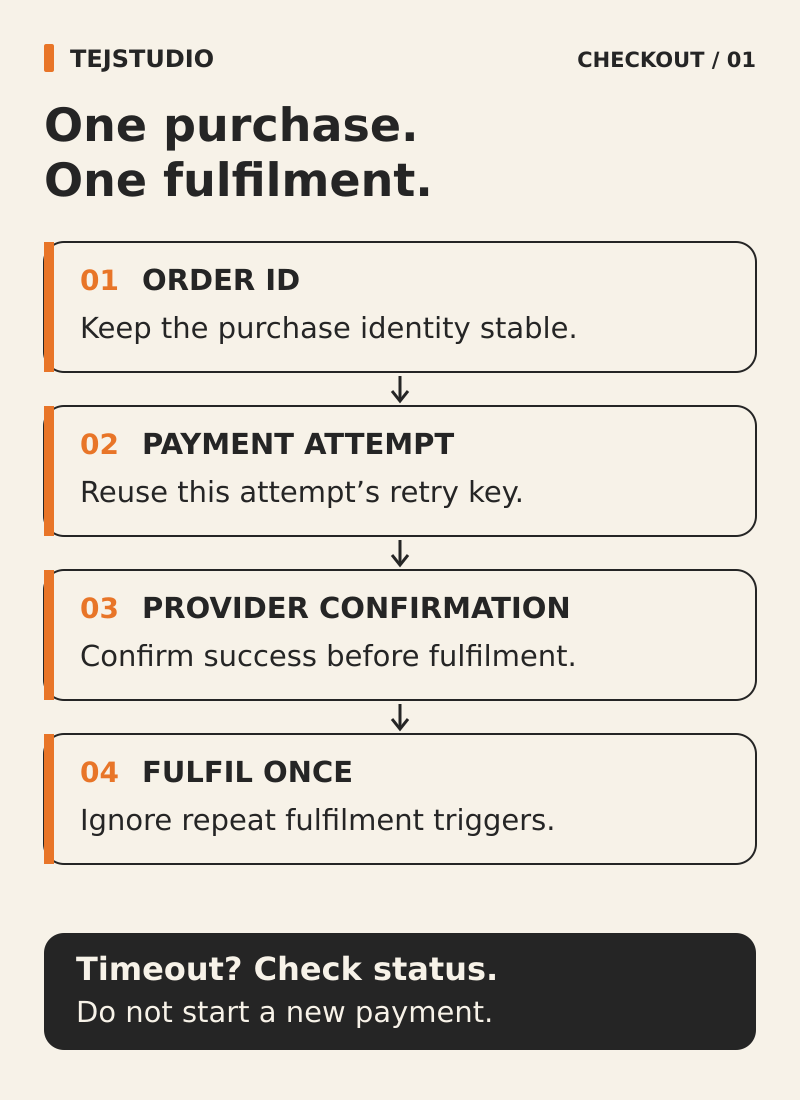
Stripe supports idempotency keys for retrying API requests without repeating the same operation. When retrying the request that creates the same Stripe Checkout session, reuse its idempotency key and request details. Creating the session does not itself confirm payment.
That protection has limits. It does not replace your application’s order records, and keys are not permanent. Ask how the server finds the existing checkout when a customer returns, and prevents two tabs creating two payable checkouts for the same order. A new payment attempt should follow a checked outcome, not a missing browser response.
Agree what happens when the basket changes. The design must distinguish a genuinely changed purchase from another attempt to submit the original one.
Confirm the payment on the server
Stripe advises against relying only on the customer reaching a success page to trigger fulfilment. Someone can pay and then lose their connection before that page loads. Use verified payment notifications, called webhooks, and retrieve the relevant payment information on the server.
With Checkout, the integration needs to check payment status. Some payment methods finish later, so completing the checkout screen does not always mean the payment has succeeded. Agree a pending message and a way to check progress without starting another purchase.
Make repeated notifications safe to handle
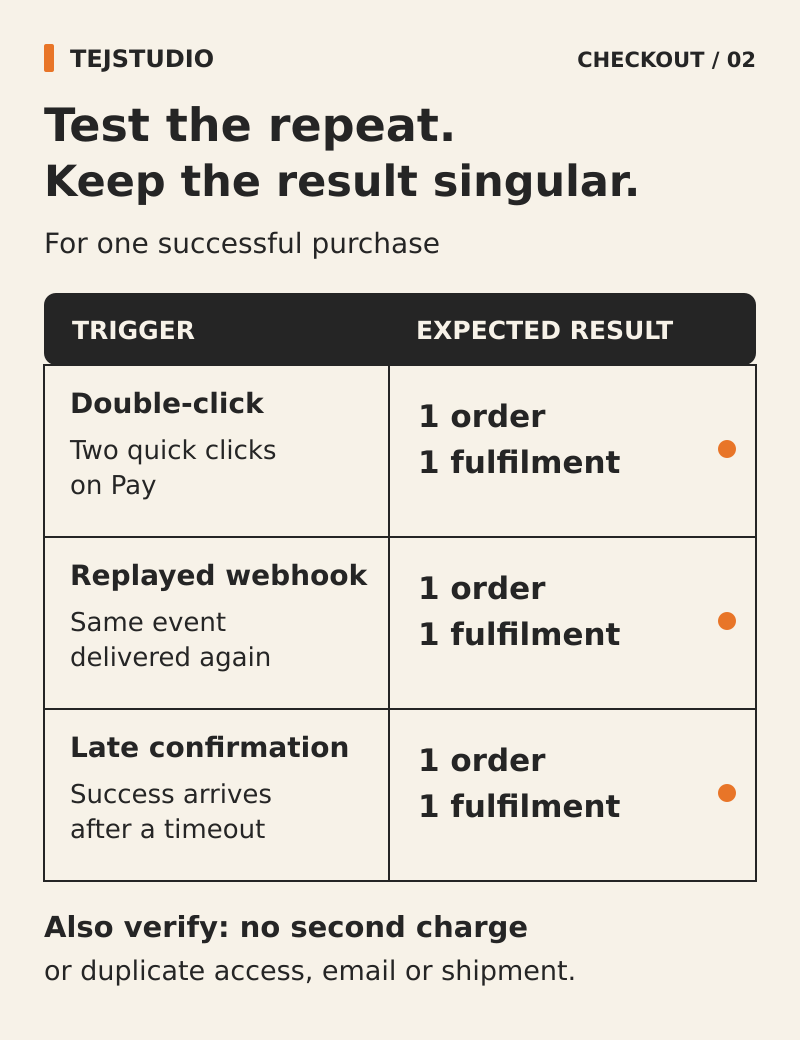
Stripe can deliver the same event more than once, and events are not guaranteed to arrive in order. Repeated notifications do not, by themselves, establish that a customer was charged twice.
Require signature verification, a record of handled events and a separate guard around the order’s fulfilment. Ask the supplier to show two notifications arriving together. Only one should be allowed to start the same fulfilment step.
If notifications are processed in the background, ask the supplier to show that accepted work is safely saved before the website acknowledges receipt. The acknowledgement should be prompt, and unfinished work should survive a restart. If a dispatch request might already have succeeded, check its outcome before sending it again.
Recover the order without collecting payment again
Use a concrete outage test: payment succeeds while your website cannot receive its notification. Restore the connection, then reconcile the provider’s payment record with the order and finish the missing fulfilment step. Recovery should not send the customer through a fresh checkout.
Stripe retries failed webhook deliveries, but manual recovery can overlap with those retries. The same duplicate checks must apply whichever route handles the event.
Our recommendation is an exception view for orders that remain pending or paid but unfulfilled, with a named owner and an agreed review interval. Give authorised staff a documented recovery action and an activity history. Confirm the order reference, amount and currency before resolving a mismatch.
Ask to see these failures before launch
Use test payments and record the expected result, observed result and unresolved issues for each case:
- Double-click Pay and submit the same order from two tabs.
- Lose the response after a payment request has reached the provider.
- Close the browser before the success page appears.
- Deliver duplicate notifications together and replay an older event.
- Recover a missed notification while automatic retries are still running.
- Lose the dispatch confirmation or restart the worker after dispatch is accepted.
Inspect payments, orders and fulfilment records, not just the checkout screen. Include monitoring access and recovery instructions in the website and software handover checklist.
Put the thinking to work.
Planning a checkout? Bring one purchase journey and its failure cases to Tej Studio’s custom software development conversation, so the controls can be scoped and tested. Discuss your project with Tej Studio. Explore website and software handover checklist · Tej Studio’s custom software development conversation.
Start a conversation